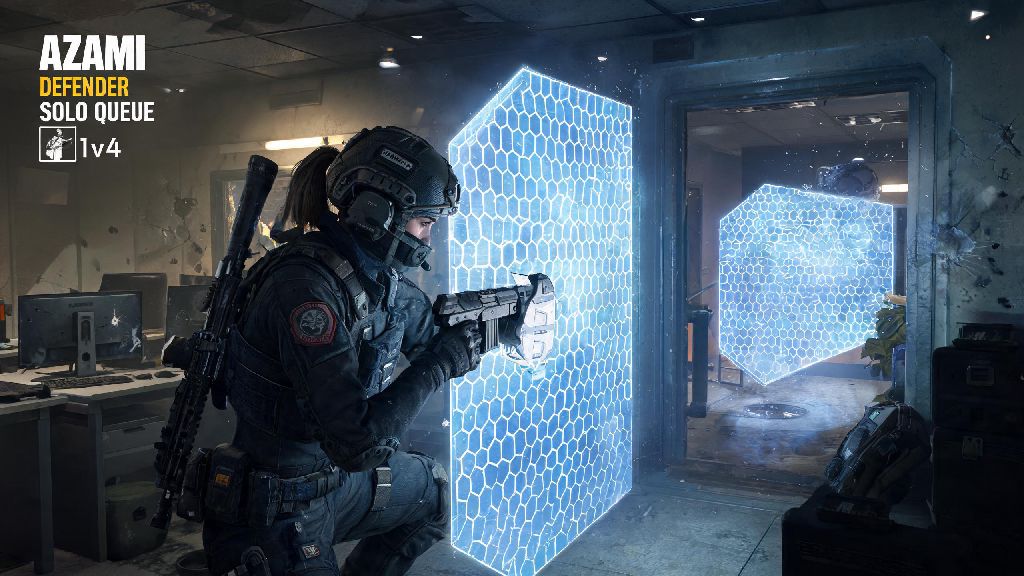
If you’ve ever fumbled with your controller mid-match trying to tell your team there’s a camper hiding in Oregon’s basement stairwell, you know how critical fast, clear communication is in Rainbow Six Siege. Many PS4 players default to voice chat, but not everyone feels comfortable speaking, or has a working mic at all times. That’s why learning how to use text chat in Rainbow Six Siege PS4 is such a game-changing skill for casual and ranked players alike. I’ve spent years playing Siege on PS4, and I use text chat almost as much as voice these days, especially when I’m playing late at night and don’t want to wake up my household. Even if you prefer talking to your team, having text chat as a backup option can save you from losing rounds when your mic cuts out mid-match.
Step-by-Step Setup to Access Text Chat in Rainbow Six Siege PS4
If you’ve never opened text chat in Rainbow Six Siege PS4 before, the process is far simpler than most players realize. The default control scheme is mapped to your controller’s touchpad, which many new players only use for swiping to access scoreboards. To pull up the text input overlay, press and hold the center of your PS4 controller’s touchpad for 2 full seconds while you’re in a match, pre-game lobby, or post-round score screen. The on-screen keyboard will pop up automatically, and you can type with your D-pad or thumbstick, or use a compatible Bluetooth keyboard if you have one connected to your console.
Once the text box is open, you can toggle between team and all chat using the L1 and R1 bumpers. Team chat is only visible to your 4 other squadmates during active rounds, while all chat is restricted to pre-game lobbies and post-round screens to cut down on toxicity. If you’re in a PlayStation Party with friends, you’ll need to switch your audio input from Party Chat to Game Chat first before the text chat function will work, otherwise the touchpad input will only pull up your party’s private chat instead of the in-game Siege chat. You can adjust this setting directly from your PS4’s quick menu by holding the PS button and navigating to the Sound/Devices tab.
Best Practices for Using Text Chat During Active Matches
Text chat is an incredibly useful tool, but it’s important to use it strategically so you don’t put yourself or your team at a disadvantage. Typing on a controller takes your eyes off the screen for at least a few seconds, which is more than enough time for an enemy roamer to sneak up behind you and take you out. Only use text chat during prep phase or between rounds when you have 10+ seconds of downtime, and avoid typing entirely when you’re moving through un-cleared areas or pushing a site. If you absolutely need to send a callout mid-round, keep it as short as possible so you can get back to controlling your operator fast.
The Siege community has developed a wide range of shorthand terms that let you share critical information in just a few characters, so you don’t have to type full sentences. I’ve put together a list of the most common terms I use every match that every PS4 player should know:
- CB/Cell: Short for common basement callouts on maps like Club House, Consulate and Bank, so you don’t have to type out the full location name
- 1 left, 2 down: Quick update on how many enemy operators are still alive vs. eliminated, so your team knows if they have a numbers advantage
- Roam top: Alert teammates an enemy roamer is operating on the upper floors of the map, so they don’t get surprised when they rotate away from the site
- Need breach: Request a teammate with a hard breaching device like Thermite or Ace to open a reinforced wall for your team’s push
I’ve found that sticking to short, 2-3 word callouts in text chat works far better than long sentences, as your teammates can glance at the chat feed in half a second and get the info they need without missing what’s happening in front of them. You also want to avoid spamming chat with unrelated messages or toxic comments, as other players can report you for disruptive behavior, which can lead to temporary or permanent bans from Siege’s online modes.
Troubleshooting Common Text Chat Issues on PS4 Siege
Even if you follow the standard steps to open text chat, you might run into issues if your settings are misconfigured. One of the most common complaints new PS4 Siege players have is that their text chat doesn’t load at all, even when they hold down the touchpad. The first thing to check is your in-game privacy settings: make sure your “text chat visibility” option is set to “all” or “team only” instead of “off”. A lot of new players accidentally toggle this setting off when they’re adjusting their graphics or audio settings, and don’t realize it until they try to send a message mid-match.
Another common issue is text input lag, where your controller takes a full second or more to register each keystroke on the on-screen keyboard. This is almost always caused by background apps running on your PS4 taking up processing power. If you have Netflix, Spotify, or another game running in the background, close them out before you launch Siege, and the input lag will usually disappear entirely. You also might notice that you can’t send messages to the opposing team during active rounds, which is not a bug: Ubisoft intentionally disables cross-team text chat during rounds to prevent harassment and trash talk, so you’ll only be able to message the other team before the match starts or after a round ends.
If you play with cross-play enabled, you don’t have to worry about your text messages not showing up for players on PC, Xbox, or PS5. Ubisoft rolled out universal cross-platform text chat for all Siege modes a few years back, so any message you send to team or all chat will be visible to every player in the lobby, regardless of what platform they’re playing on.
When to Prioritize Text Chat Over Voice Chat in Siege
Voice chat is usually the fastest way to communicate with your team, but there are tons of scenarios where text chat is the better option. First, if you’re playing in a quiet space: if your family is sleeping, or you’re in a shared apartment, you don’t want to yell callouts and disturb people around you. Text chat lets you share all the same information without making any noise at all. It’s also a great option if you’re sick, have a sore throat, or just don’t feel like talking to random players online that day.
Text chat also lets you share specific details that are easy to forget verbally, like exactly where a Kapkan trap is placed, or how much time is left on the defuser if your teammate is far from the site. I once won a Platinum ranked match because I typed “Kapkan trap on main door” right before my teammate ran in, and they stopped just in time to disarm it. That would have been a round loss if I’d only tried to yell it over voice chat, because they had their mic muted to avoid toxic randoms they’d been paired with earlier that day. Text chat is also an essential accessibility tool for players who are hard of hearing, or who struggle to process verbal information fast during high-stakes matches.
You don’t have to choose one or the other, either. I usually use voice chat for fast, real-time callouts during rounds, and text chat to share longer details between rounds, like which operators the enemy team is using, or which sites they’re likely to attack next. Using both tools together makes you a far more effective teammate, and can help you climb the ranked ranks much faster than you would relying on just one form of communication.
At the end of the day, small quality of life skills like knowing how to use text chat in Rainbow Six Siege PS4 add up to much better win rates and a far less frustrating playing experience. You don’t have to become a pro at typing on a controller, even learning a few basic callouts and how to pull up the chat quickly will help you coordinate with your team far better than staying silent. Next time you hop into a match, give it a try instead of fumbling with a broken mic or trying to gesture to your teammates with your operator’s gun, you might be surprised how much of a difference it makes to your overall performance.