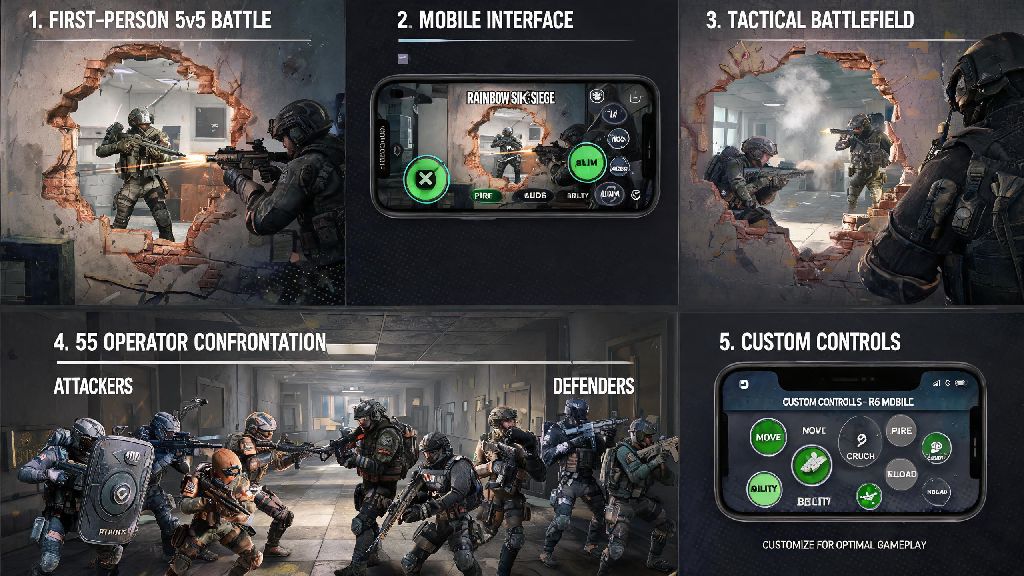
If you’ve ever logged on to Rainbow Six Siege on your PlayStation only to realize your best friend plays exclusively on Xbox, you’ve probably asked: can you play Rainbow Six Siege crossplay? For years, Siege players begged Ubisoft for cross-platform support, and after a slow rollout across updates, the feature is finally widely available for most player groups. But there are a lot of nuances to how it works, what platforms are supported, and what limitations you might run into when you try to queue with friends on different systems. This guide breaks down everything you need to know to get crossplay working, avoid common headaches, and make the most of cross-platform play for casual and ranked queues alike.
Supported Platforms for Rainbow Six Siege Crossplay
Ubisoft rolled out crossplay support in phases starting in 2022, so not every version of the game works across every system right now. The first thing you need to confirm is which version of Siege you’re running, and which platform your friend uses, before you try to send an invite. All eighth and ninth generation consoles support crossplay with each other, meaning PlayStation 4, PlayStation 5, Xbox One, and Xbox Series X/S users can all queue together with no extra steps outside of enabling the setting.
Cloud gaming versions of Siege, including those on GeForce Now and Amazon Luna, also support crossplay matching the platform they’re linked to. For example, if you play Siege on Luna connected to your Ubisoft account linked to your PlayStation profile, you’ll be matched with other PlayStation and Xbox console players. Nintendo Switch players are the only console group left out of crossplay support for now, and Ubisoft hasn’t shared any plans to add it for the Switch port in the near future. Standalone PC players, including those who own the game on Steam, Epic Games Store, or the Ubisoft Store, are on a separate crossplay pool, which we’ll break down more in the next section.
Can You Play Rainbow Six Siege Crossplay Between Consoles and PC?
This is the most common question we get from players, and the short answer is no, at least not by default. Ubisoft made the call to split console and PC crossplay pools for two key reasons: input advantage and cheat prevalence. PC players using mouse and keyboard have a proven accuracy and reaction time advantage over controller users, so mixing the two groups would create an unfair playing field for console players, especially in ranked queues. The second reason is that PC versions of online shooters face far higher rates of cheaters than locked-down console systems, and combining pools would expose console players to more unfair matches they can’t report or moderate easily.
That said, there is one exception to this rule. If you’re a PC player who uses a controller and you opt in to crossplay with consoles, you can choose to be placed in the console pool for casual matches only. This setting is turned off by default, and you can’t use it for ranked play at all, even if you only use a controller. Many PC players who test this setting say the matching times are slightly longer, but it’s a great option if you mostly play with friends who own consoles and don’t care about ranked progress for those sessions. It’s worth noting that cross-progression works across all platforms including PC and consoles, as long as you link all your accounts to the same Ubisoft account. That means all your operator unlocks, skin collections, and ranked rank will carry over no matter what system you play on, even if you can’t queue with players on the other pool.
How to Enable Crossplay and Queue With Friends on Other Systems
Enabling crossplay is simple, but the steps vary slightly depending on what platform you’re using. Most of the time, the setting is turned on by default for new players, but if you turned it off in the past to avoid longer queue times or cross-platform opponents, you’ll need to toggle it back on. Before you send invites, make sure all players in your group have crossplay enabled, and that you’ve added each other as friends on your Ubisoft account, not just your platform-specific friend list. Here’s the step-by-step process for most systems:
- For console players: Open the settings menu, navigate to the “General” tab, scroll down to the “Crossplay Matchmaking” option, and toggle it to “On”. You can also toggle “Crossplay Invites” on if you want to receive invites from players on other platforms.
- For PC players: Open the settings menu, go to the “General” tab, find the “Crossplay” section, and toggle on the platform pools you want to join. If you want to play with console friends, make sure you toggle the “Console Crossplay” option on, and confirm you’re using a controller for those sessions.
- For all players: Add your friend’s Ubisoft account name to your in-game friend list, select their name, and send a group invite. You don’t need to add them as a friend on PlayStation Network, Xbox Live, or Steam to invite them to your party.
You can only queue for game modes that all players in your group have access to, so if one player hasn’t purchased a premium event pass or a limited-time mode unlock, you won’t be able to select that mode as a group. If you’re queuing for ranked play, the game will match you against players close to the highest rank in your group, so keep that in mind if you’re playing with friends who are much higher or lower rank than you. If you don’t want to play against cross-platform opponents but still want to queue with friends on other consoles, you can toggle off crossplay matchmaking but leave crossplay invites on, though this will make your queue times significantly longer.
Common Crossplay Issues and Simple Fixes
Even if you follow all the steps correctly, you might run into small issues when trying to use crossplay for the first time. Most of these issues have simple fixes that don’t require you to restart your game or system, so you can get back to playing with your friends fast. The most common crossplay issue is invites not showing up for players on other platforms, which usually happens if one player has crossplay invites turned off in their settings, or if they haven’t linked their platform account to their Ubisoft account correctly. If invites aren’t showing up, have every player double check their crossplay invite settings, and confirm that their Ubisoft account is linked properly in the account settings menu.
Another common issue is longer queue times for mixed console groups, especially for ranked play. This is normal, as the game has to pull from a smaller pool of players who are around the same rank as your group and have crossplay enabled. If queue times are longer than 10 minutes, try switching to casual play first, or disbanding and reforming the group to reset the matchmaking queue. Some players also report that voice chat doesn’t work between players on different platforms. This is usually caused by in-game voice chat settings being set to “Party Only” for one or more players, or by platform-specific privacy settings that block voice chat with users outside your platform friend list. To fix it, make sure all players have their voice chat set to “All” or “Party” depending on your preference, and check your platform’s privacy settings to allow voice chat with cross-platform players. If none of these fixes work, logging out of your Ubisoft account and back in usually resolves any lingering connection issues. You don’t need to uninstall or reinstall the game for 99% of crossplay related problems.
At the end of the day, if you’ve been asking can you play Rainbow Six Siege crossplay with your friends on different systems, the answer is almost always yes, as long as you’re both on console or both on PC, or you’re willing to opt in to the console pool as a PC controller user. Ubisoft has refined the feature a lot since its initial launch, so most of the early bugs and connection issues are long gone, and crossplay now works seamlessly for most groups. Just remember to double check your settings before you queue, add your friends to your Ubisoft friend list, and be patient with slightly longer queue times for ranked play. If you run into issues, the fixes we listed above will resolve nearly every problem you might face, so you can spend less time troubleshooting and more time securing objectives and winning rounds with your friends, no matter what system they play on.