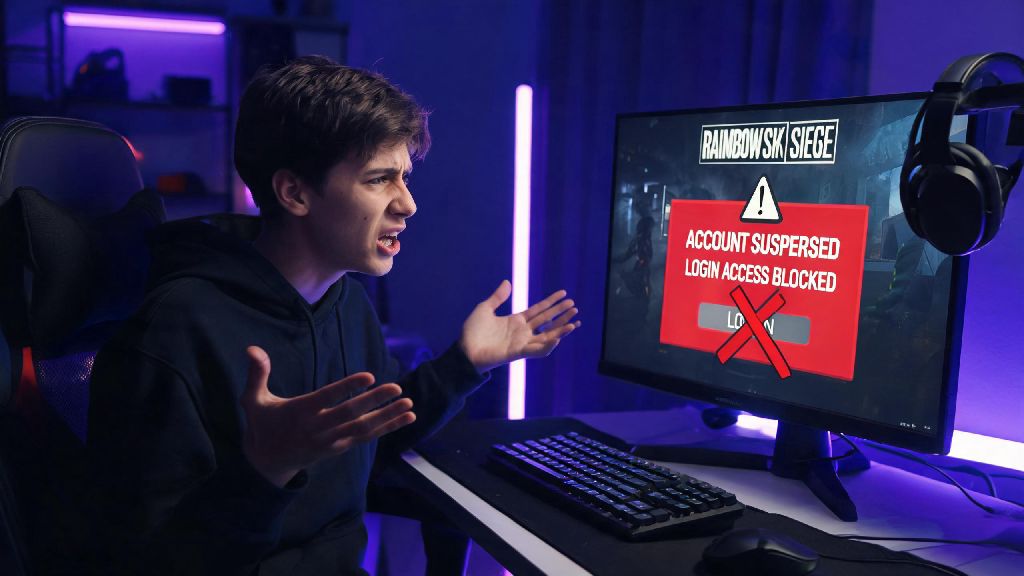
We’ve all been there: you log in for a quick Rainbow Six Siege match after a long day, only to be greeted by a red suspension notice blocking your access to the game. It’s frustrating, confusing, and can feel like you’ll never get back to playing with your squad again. If you’re looking for clear, actionable steps for how to get unsuspended from Rainbow Six Siege, this guide is built from real appeals, official Ubisoft support policies, and common mistakes that get requests rejected right off the bat. We’ll walk you through exactly what to do (and what not to do) to give your appeal the highest possible chance of success, no guesswork required.
First: Figure Out Why Your Rainbow Six Siege Account Was Suspended
Before you even think about submitting an appeal, you need to know exactly why your account was flagged. Suspensions don’t come out of nowhere, and Ubisoft always logs the specific reason for every restriction placed on an account. You will receive an official email from Ubisoft with the exact reason and duration of your suspension within 24 hours of the ban being applied. If you don’t see it in your main inbox, check your spam or promotions folder, because automated support emails often get filtered there by mistake.
Common reasons for suspensions include toxic behavior in text or voice chat, repeated intentional team killing, use of cheat software or exploits, account sharing, or even a high volume of false reports from other players that triggered an automatic review. Temporary suspensions can last anywhere from 24 hours to 30 days, while permanent bans are usually reserved for repeated violations or severe offenses like cheating. If you still can’t find the reason for your suspension, log into your Ubisoft account on the official support site, and you’ll see the restriction details listed under your account status page.
You don’t want to waste time writing an appeal that doesn’t address the specific violation you’re accused of, so this step is non-negotiable. For example, if you were banned for toxic chat, your appeal should include context for the messages in question, not a defense against cheating claims that were never made.
How to Get Unsuspended from Rainbow Six Siege: Official Appeal Process Steps
Once you have the exact details of your suspension, you can move forward with the official appeal process. Don’t waste time reaching out to Ubisoft on social media or through third party platforms, because those teams don’t handle account suspension appeals. All reviews go through the official support portal, and that’s the only place you’ll get a real response.
First, gather all the documentation you need to support your case before you open the appeal form. This will make the process faster and reduce the chance you forget critical details that could help your appeal. Your appeal should include these core elements:
When you fill out the form, be as specific as possible. If you were banned for team killing, for example, explain that the kill was accidental, and link a clip of the match that shows you made a mistake during a chaotic firefight, not that you targeted your teammate on purpose. Never lie or exaggerate in your appeal form – Ubisoft support teams cross-check all claims with in-game data, and false statements will get your appeal rejected immediately.
After you submit the form, you’ll get a confirmation email with a ticket number. Most appeals are reviewed within 3 to 5 business days, though wait times can be longer during holiday periods or after major game updates when more players are online. Don’t submit a second appeal while you’re waiting for a response, because that will push your original ticket to the back of the queue.
Common Appeal Mistakes That Will Get Your Request Rejected
Even players with legitimate cases get their appeals rejected all the time because they make simple, avoidable mistakes when submitting their request. The most common error is being rude or hostile in the appeal message. Support teams handle hundreds of appeals every day, and they’re far more likely to give your case a fair review if you’re polite and respectful, even if you’re angry about the suspension. Threatening to leave the game or insulting the support team will almost always lead to an immediate rejection, and can even result in a longer suspension.
If you actually violated the community guidelines, don't pretend you didn't – admitting fault for a first minor offense (like accidental team killing or a single toxic chat message) can lead to a reduced suspension in many cases. Ubisoft’s support team is far more lenient with players who take responsibility for their actions than they are with players who lie about breaking the rules.
Another common mistake is paying for third party appeal services that claim they can get your account unbanned for a fee. These services have no special access to Ubisoft’s support team, and they can’t do anything you can’t do yourself for free through the official portal. In some cases, these services will ask for your account login details, which can lead to your account being stolen or permanently banned for account sharing. You should never share your account login details with anyone, even friends, as account sharing is a violation of Ubisoft’s terms of service that can lead to permanent, non-appealable bans.
What to Do If Your First Appeal Gets Rejected
If you get a response saying your first appeal was rejected, don’t panic. You still have options, especially if you have new evidence to support your case. Wait at least 72 hours before submitting a second appeal, so you have time to gather additional proof if you can. For example, if you were banned for cheating, you can pull a list of all programs running on your PC during the match in question, or ask a teammate who was in the same game to share their clip of your gameplay to show you weren’t using any exploits.
For permanent bans related to anti-cheat flags, you can request a manual anti-cheat review in your second appeal. This review uses deeper system data to check for any unauthorized software running during your matches, and it’s handled by a specialized team that only deals with cheat-related bans. This process takes longer, usually 7 to 10 business days, but it’s the only way to get a permanent anti-cheat ban overturned.
If your suspension is for a first-time minor violation and your appeal is rejected, you can usually wait out the suspension duration, and your account will be automatically restored with no permanent penalty to your account standing. Just make sure you read over the community guidelines again before you start playing again, so you don’t accidentally violate the rules again and get a longer suspension. If you have repeated violations on your account, future suspensions will be longer, and you could eventually get a permanent ban that can’t be appealed at all.
At the end of the day, getting back into your Siege account comes down to following the official process, being honest, and giving support teams the information they need to review your case fairly. While it can feel stressful to be locked out of the game you love, taking the time to put together a clear, evidence-backed appeal will give you the best shot at a positive outcome. If you follow the steps we’ve laid out, you’ll have a far higher chance of success than if you rush through an angry, unsubstantiated request. Knowing how to get unsuspended from Rainbow Six Siege the right way saves you time, avoids unnecessary headaches, and gets you back to queuing for matches with your squad as fast as possible.