If you’ve just bought Rainbow Six Siege after seeing your friends rave about its tense 5v5 tactical matches, your first question is probably how do i play rainbow six siege online. Unlike casual shooters that drop you straight into a match with zero prep, Siege has a few small hoops to jump through before you can jump into your first round, plus a ton of unwritten rules new players miss that lead to frustrating losses. I’ve put 1200+ hours into Siege over the last 6 years, so I’ll walk you through every step you need to get online, avoid common newbie mistakes, and actually have fun your first few sessions.
How Do I Play Rainbow Six Siege Online: First Setup Steps
First, you’ll need to make sure your game is linked to a valid Ubisoft account, even if you bought it on Steam or Epic Games Store. You don’t have to make a new account if you already have one from other Ubisoft titles, just log in when prompted on first launch. Crossplay is enabled by default, so you can play with friends on console or PC right away, but you can turn it off in settings if you prefer to only match with players on your platform.
Next, you have to install BattlEye anti-cheat when prompted. You can’t skip this step, as Siege won’t let you join any online lobbies without it running in the background. If you get a BattlEye error on launch, restart your PC first, and if that doesn’t work, verify your game files through your store launcher to fix corrupted files. Make sure you complete the in-game introductory tutorial first — Ubisoft locks online play until you finish the three short tutorial missions, and they teach you core mechanics like breaching, reinforcing, and using operator gadgets that you won’t pick up just from shooting bots.
Once you finish those three setup steps, you’re ready to jump into your first match. If you get connection errors when trying to join a lobby, check that your firewall isn’t blocking Siege or BattlEye, as that’s the most common fix for new players. Verify your game files if you get repeated connection errors on launch — it only takes a few minutes and fixes 90% of common launch issues.
Choose the Right Online Game Mode for Your Skill Level
If you’re still figuring out how do i play rainbow six siege online, start with the lowest-stakes modes first to avoid getting overwhelmed. A lot of new players make the mistake of jumping straight into Ranked play, and end up getting destroyed by experienced players who know every map trick and operator counter by heart. You’ll have a way better first experience if you work your way up through the casual modes first.
Siege has four core online modes you can queue for, plus rotating limited-time events every few weeks. Here’s the order I recommend for new players:
Custom games are fun if you’re playing with friends, but avoid joining public custom lobbies as a new player. Most public custom lobbies are for trolling, or for players running private scrims that will kick you immediately for not being part of their group. Avoid joining Custom Games with random public lobbies unless you get a direct invite from someone you know.
You can also filter your Quick Match queue to only play bomb mode, which is the standard mode used in both Unranked and Ranked play, so you can practice the exact rules you’ll use later when you move up to more competitive modes. Don't queue for Ranked in your first 20 hours of play — you’ll just get flamed by teammates and ruin your experience, there’s no shame in sticking to casual until you’re comfortable.
Queuing With Friends vs Solo: Which Is Better for New Players?
There’s no right answer here, it mostly depends on what you find fun. If you’re playing Siege to hang out with friends, queuing in a full 5-stack is the best way to play, as you can coordinate gadgets and call out enemy positions without worrying about toxic random teammates. If your friends have way more playtime than you, you can adjust your party MMR settings to match against lower-skill teams, so you don’t get completely outmatched every round.
Solo queue works great too, especially if you want to go at your own pace and pick whatever operator you want without being pressured to fill a specific role. The only downside of solo queue is that you might run into toxic teammates who flame new players for making small mistakes, but you can easily avoid that by turning off text and voice chat for your first few matches. If you queue solo, turn off text and voice chat for your first 10 matches — most toxicity directed at new players is avoidable, and you can still use the in-game ping system to communicate effectively without talking.
The ping system in Siege is surprisingly robust. You can ping enemy positions, gadgets, bomb sites, and even request gadgets from teammates just by clicking the ping button. You don’t need to use voice chat at all to play effectively, even in Ranked play, so don’t let anxiety about talking to strangers stop you from queuing solo.
That said, if you have a friend who’s already played Siege for a while, asking them to queue with you for your first 10 matches will cut your learning curve in half. They can teach you basic map callouts, which operators to pick, and which walls to reinforce so you don’t accidentally make mistakes that lose your team the round.
Common Mistakes New Online Players Make (And How to Fix Them)
The most common mistake new players make is reinforcing every wall they see, including walls that your team needs to breach to rotate between objective sites, or walls that block your own team’s line of sight. If you’re not sure which walls to reinforce, just ask your team at the start of the round, or only reinforce walls that face directly outside the objective site. Don’t reinforce walls between two objective sites, as your team will need to move between those sites quickly if the enemy pushes one side.
Another common mistake is running straight into rooms without droning first. Every attacker gets two drones per round, so you can send a drone into a room first to check for campers and traps before you walk in. Most new players waste their drones immediately after spawning, so get in the habit of saving at least one drone for when you reach the objective site. Always check for traps like Kapkan tripwires and Frost mats before you step through a door — that’s the most common way new players die in their first 10 matches, and it’s completely avoidable if you just take half a second to scan the door frame first.
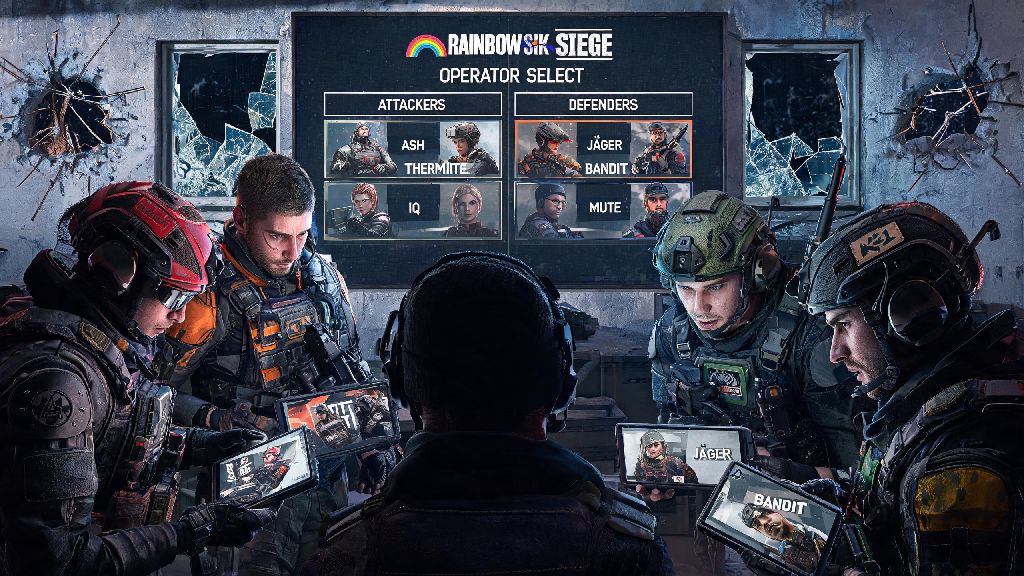
Don’t waste your gadgets immediately after spawning either. A lot of new players throw their flashbangs or use their breach charges as soon as they spawn, when they don’t need them, and then have no gadgets left when they reach the objective. Hold onto your gadgets until you’re at the objective, or until a teammate asks for them to open a wall or clear a room. If you don’t know what your operator’s gadget does, you can hover over it in the operator select screen to get a quick description of how it works, no one expects you to know all 60+ operators right away.
Finally, don’t get discouraged if you die early in a round. Even experienced players die within the first 30 seconds of a round all the time, and you can still help your team win by using your drone to spot enemies and call out positions for your living teammates. Staying engaged even after you die will help you learn map layouts and enemy habits faster, so you’ll do better in your next round.
At the end of the day, figuring out how do i play rainbow six siege online is way less complicated than it looks once you get the initial setup out of the way. Don't put pressure on yourself to win every match, focus on learning one new thing each round, and you'll be holding your own against more experienced players in no time. Siege is one of the most rewarding shooters out there once you get past the initial learning curve, so don't let a few bad first matches scare you off.