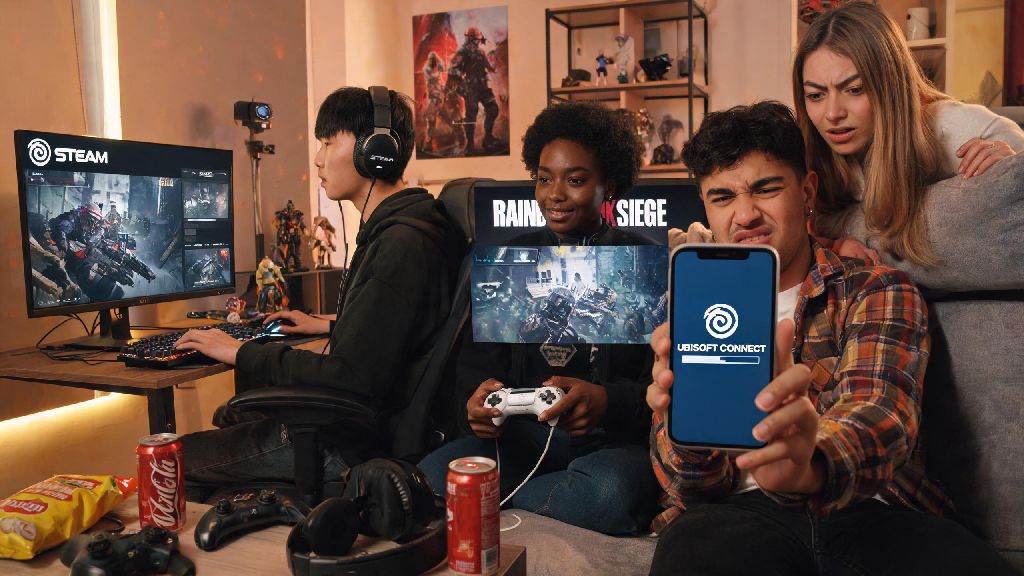
Imagine you just grabbed a copy of Rainbow Six Siege on a Steam sale, hit launch, and immediately get a pop-up asking you to install or log into Ubisoft Connect. If you’re like most players I know, your first thought is probably frustration – another launcher to deal with, another account to remember the password for. It’s a super common question from new and returning players alike: do i need ubisoft connect to play rainbow six siege, or can you skip that extra step entirely? We’re breaking down every scenario, from PC to console to offline play, so you know exactly what’s required, what you can skip, and how to fix annoying issues that pop up along the way.
Do I Need Ubisoft Connect to Play Rainbow Six Siege on All Platforms?
The short answer for most use cases is yes, though the exact requirement varies a lot depending on what device you’re playing on, and what game modes you want to access. If you’re playing on PC, no matter if you bought the game through Steam, the Epic Games Store, or directly from the Ubisoft Store, you will need to have Ubisoft Connect installed and linked to your store account to launch the game at all. Ubisoft uses Connect as its primary DRM and account management system, so it’s non-negotiable for PC players, even if you only ever plan to play alone.
For console players on PlayStation 4/5, Xbox One, or Xbox Series X/S, the rule is a little different. You don’t have to download the separate Ubisoft Connect app on your console, but you do need to link your console profile to a Ubisoft Connect account if you want to access any online features. That includes casual and ranked online multiplayer, cross-play with friends on other platforms, seasonal events, and even saving your progression long-term. If you skip the linking step, you’ll be locked to extremely limited offline play, with no way to carry your progress over if you ever upgrade your console or pick up a PC copy of the game.
I learned this the hard way when I first played Siege on my old PS4 back in 2019. I skipped the account link prompt because I was in a hurry to play with friends, and lost 10 hours of unlocked operators and skins when my PS4’s hard drive crashed a month later. It’s a tiny step that saves you a lot of headache down the line.
When You Can Play Rainbow Six Siege Without Ubisoft Connect Access
There are a small handful of scenarios where you don’t need an active, online connection to Ubisoft Connect to play, though you still need to have linked your account at least once before for most of these to work. The most common scenario is when your internet goes out, or Ubisoft’s Connect servers are down for maintenance, which happens fairly often after big patch drops or during major events like the Six Invitational.
If you’ve logged into your Ubisoft Connect account on your device within the last 30 days, you can switch the app to offline mode and access limited game features without an active connection. You won’t be able to play online with friends, sync your progress, or claim any new rewards, but you can still mess around in game modes that don’t require a live server connection. The full list of features you can access without active Ubisoft Connect access is:
It’s worth noting that you can’t access any of these features if you’ve never linked your account to Ubisoft Connect at all. Even if you only plan to play offline, you’ll need to log into Connect once to verify that you own a legitimate copy of the game before you can access offline modes. You also won’t earn any XP, unlock new items, or save any progress you make while playing offline until you log back into Ubisoft Connect and your account syncs, so don’t grind a bunch of terrorist hunt matches expecting to rank up your battle pass while your internet is out.
Key Benefits of Linking Your Account to Ubisoft Connect
I get why a lot of players push back on having to use a second launcher for a game they already bought on Steam or Epic. I was annoyed too the first time I had to install Connect, but after using it for years, I’ve found the benefits far outweigh the minor hassle of an extra login step. The biggest perk for most players is cross-play and cross-save functionality across all your devices. If you have Siege on PC and Xbox, for example, you can start a ranked match on your PC after work, then pick up right where you left off on your Xbox when you go to a friend’s house that night. All your operators, skins, MMR, and battle pass progress carry over seamlessly across every platform you own the game on, as long as they’re all linked to the same Ubisoft Connect account.
Another huge benefit is access to exclusive free rewards and limited-time event content. Ubisoft Connect gives you units for completing daily and weekly in-game challenges, which you can redeem for free operator unlocks, exclusive weapon skins, battle pass tiers, and even charity-themed cosmetics that aren’t available for purchase anywhere else. You also can’t access any limited-time events, like the Halloween or Six Invitational themed modes, if your account isn’t linked to Connect – those modes are only available to players with verified online accounts.
Finally, linking your account is required if you ever want to play ranked or competitive Siege. All ranked MMR, seasonal rewards, and leaderboard placements are tied directly to your Ubisoft Connect account, not your Steam or console profile. If you ever get banned for toxic behavior or cheating, that ban applies across all platforms you use to play Siege, which helps keep the competitive community fair for everyone. I’ve redeemed enough free skins and operator unlocks from Connect challenges over the years to more than make up for the minor annoyance of the extra login step.
Common Ubisoft Connect Issues and How to Fix Them
Even with all its benefits, Ubisoft Connect is far from perfect. It has a lot of common bugs and errors that players run into regularly, especially right after big game patches when the servers are overloaded. The most common issue I hear about is the “failed to launch” error that pops up when you try to open Siege from Steam or Epic Games Store. The fix for this is usually simple: make sure both your store launcher and Ubisoft Connect are updated to the latest version, then restart both apps. If that doesn’t work, double check that you have the correct Ubisoft account linked to your Steam/Epic profile in your Connect settings.
Another super common issue is the endless login loop, where you keep getting asked to enter your password and 2FA code every time you try to launch the game, even if you saved your login info. This almost always happens because your device’s system clock is out of sync, or your Ubisoft Connect cache is corrupted. Clearing your Ubisoft Connect cache takes less than a minute, and fixes 90% of login loop errors. You can find steps to clear the cache directly in Ubisoft’s official support resources, or you can uninstall and reinstall the app if you’re still having issues.
The third most common issue is progress not syncing across devices. If you played a few ranked matches on your console, then logged into your PC copy and don’t see your updated MMR or new skins, don’t panic. It usually takes 5 to 10 minutes for progress to sync across servers after you close the game on your first device. If it still doesn’t show up after 15 minutes, log out of Ubisoft Connect on both devices, log back in, and restart the game. In very rare cases, you might need to reach out to Ubisoft support to fix a sync error, but I’ve only had to do that once in 6 years of playing Siege.
So, do i need ubisoft connect to play rainbow six siege? For any full, feature-rich play experience, the answer is a definite yes, even if the extra launcher step feels annoying at first. You can get away with limited offline play without an active Connect connection if your internet is down, but you’ll still need to link your account at least once to access even those features. The cross-save, free rewards, and access to online multiplayer and competitive modes more than make up for the small hassle of setting up an account. Next time you get that Connect login pop-up when you launch the game, don’t hit cancel – taking 2 minutes to log in will save you from losing progress and missing out on a ton of great content down the line.