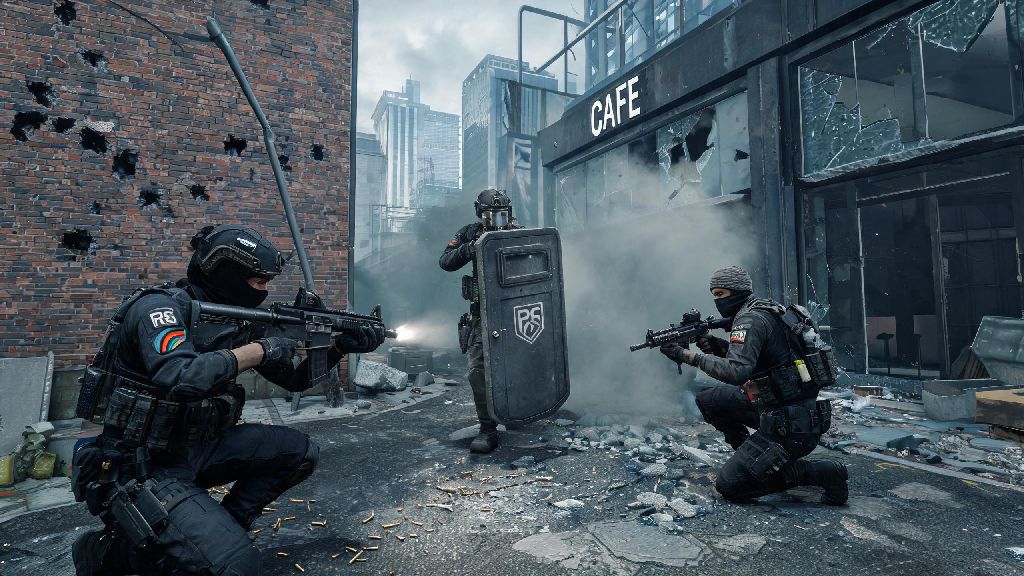
If you’ve made the jump from console to PC recently, or just prefer the feel of a controller over hunching over a desk with a mouse and keyboard, you’ve probably asked can you play rainbow six siege on pc with controller. You’re not alone either. Thousands of players switch between input methods every week, either to match their console muscle memory or just have a more relaxed casual play session. This guide will walk you through everything you need to know, from official support to setup tweaks, so you can jump into matches right away without any extra hassle.
Can You Play Rainbow Six Siege on PC with Controller? Official Support Details
The short answer is yes, Ubisoft offers full native controller support for the PC version of Rainbow Six Siege, no workarounds required for most popular controller models. Xbox Series X/S, Xbox One, PS4, PS5, and Switch Pro controllers all work right out of the box, either wired or via Bluetooth. You don't need to download any third-party tools for Xbox Series X/S or Xbox One controllers, but for PlayStation or Switch Pro controllers, enabling Steam Input will give you access to full button mapping and vibration settings.
One of the biggest concerns players have is being matched against mouse and keyboard players if they use a controller, and Ubisoft has addressed that already. Ubisoft’s built-in input-based matchmaking means you’ll almost always be paired with other controller players by default, so you don’t have to worry about going up against veteran mouse and keyboard players who have years of faster flick aim practice. The only exception is if you queue with friends who use mouse and keyboard, in which case the lobby will be mixed to match the highest input skill level in your group.
I tested this last month when I brought my PS5 controller over to my PC setup, and the game detected it within two seconds of launching. I didn’t have to adjust any settings outside of the game to get it working, which was a huge relief compared to some other PC ports that force you to mess with external config files.
Step-by-Step Controller Setup for R6 Siege on PC
Setting up your controller for R6 Siege on PC takes less than five minutes, even if you’re using a less common third-party controller. If you own the game on Steam, start by opening your Steam library, right-clicking Rainbow Six Siege, selecting Properties, then navigating to the Controller tab. Enable Steam Input for PlayStation/Xbox/Switch controllers depending on what you’re using, then launch the game. If you own the game on Ubisoft Connect, you can skip this step entirely, just plug in or pair your controller before launching the game and it will auto-detect your device.
Once you’re in the game, head to the Options menu, select Controls, then switch the input method to Controller. You can use the default button mapping, but most players coming from console will want to tweak a few settings to match their existing muscle memory. Here are the most common tweaks I recommend for new controller players on PC:
- Swap the melee and crouch buttons if you’re coming from console to keep your muscle memory intact, as PC defaults are sometimes flipped from console layouts
- Turn off controller vibration to avoid throwing off your aim during intense gunfights or when explosives go off near you
- Enable aim assist (it’s set to 50 by default, but most players bump it to 70 for better close-range tracking without feeling too sticky)
- Bind your gadget activation to a shoulder paddle if your controller has them, to avoid taking your thumb off the right stick mid-fight when you need to place a breach charge or throw a flashbang
If you notice unintended movement or your aim drifts when you’re not touching the right stick, adjust the dead zone setting in the controller menu. Start at 10% and move it up 2% at a time until the drift stops, because too high of a dead zone will make your aim feel slow and unresponsive.
Pros and Cons of Using a Controller for R6 Siege on PC
Using a controller on PC isn’t for everyone, and it’s important to weigh the benefits and downsides before you commit to it as your main input method. Let’s start with the good parts first. The biggest benefit is muscle memory consistency if you play R6 on both console and PC regularly. You don’t have to re-learn button positions or aim sensitivity every time you switch devices, which saves you hours of practice time.
Another big plus is that controller play is way more relaxed for casual sessions. You can sit back on your couch, prop your feet up, and play unranked matches with friends without straining your wrist or neck from sitting at a desk for hours. Aim assist also gives you a slight edge in close-quarter fights, which are super common in tight map areas like Oregon’s basement or Clubhouse’s bar area.
There are some notable downsides though, especially if you want to climb the ranked ladder. The biggest issue is slower reaction time for long-range flicks. Mouse and keyboard will always be faster for hitting headshots across long sightlines like on Consulate’s exterior or Border’s main entrance, so you’ll be at a natural disadvantage against M&K players in those scenarios. You also get far fewer customizable inputs, even with high-end controllers that have paddles. A standard controller has around 12 usable buttons, while a mouse and keyboard setup has dozens, so you’ll have to make sacrifices on which actions get quick binds.
That means if your goal is to hit Champion rank or play in competitive tournaments, controller probably isn’t the best choice for you. But if you’re playing mostly casual matches or just want to have fun with friends without learning a whole new input method, it works perfectly well.
Tips to Improve Your Controller Gameplay on PC R6 Siege
If you decide to stick with controller for PC R6, there are a few small tweaks you can make to improve your performance drastically without spending hundreds on a new controller. First, don’t copy a pro player’s sensitivity settings right away. Everyone’s thumb strength and reaction time is different, so start at 40 horizontal and vertical sensitivity, then bump it up by 5 every 2-3 matches until you can turn 180 degrees without lifting your thumb off the right stick.
Practice in T-Hunt first before jumping into multiplayer matches. Run 10-minute sessions of Terrorist Hunt on hard difficulty every time you log on to get used to how aim assist feels on PC, because it’s slightly less aggressive than console aim assist to balance input differences. You’ll also get a feel for how your sensitivity works when you’re tracking moving targets, which translates directly to real matches.
I’ve also found that choosing the right operators makes a huge difference for controller players. Stick to roamers like Caveira, Jäger, or Pulse when you’re on defense, because their playstyles rely on close-range tracking that plays to the strengths of controller aim assist. For attack, operators like Sledge or Ash work great, since they’re usually pushing tight spaces instead of holding long sightlines. Save hard breachers like Thermite or Hibana for when you’re playing with a squad that can cover long angles for you, since you’ll struggle to hit small bandit batteries from across the room with controller aim.
Finally, don’t be afraid to switch between controller and mouse and keyboard depending on the game mode. I use controller for all my casual unranked matches when I’m playing with friends who are on console, but switch to mouse and keyboard when I’m playing ranked alone to climb faster. There’s no rule that says you have to stick to one input method forever.
At the end of the day, if you were wondering can you play rainbow six siege on pc with controller, the answer is a resounding yes, and it’s a totally viable playstyle for most players. You don’t have to force yourself to learn mouse and keyboard just because you’re on PC, especially if you’re only playing for fun. Take a few minutes to tweak your settings to match your playstyle, run a few T-Hunt matches to warm up, and you’ll be holding your own against other controller players in no time.