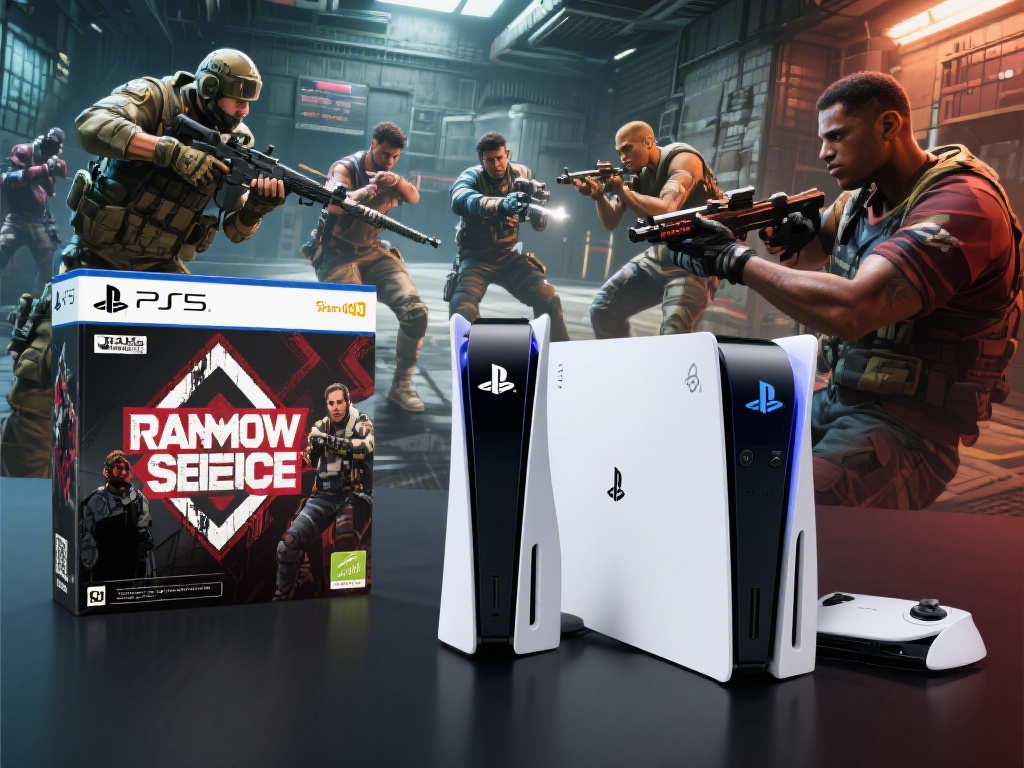
If you’ve been grinding Rainbow Six Siege rounds on your PS4 for years, and your best friend just picked up a shiny new PS5, you’ve probably asked: can PS4 and PS5 play Rainbow Six Siege together? There’s nothing worse than being locked out of queuing with your regular squad just because someone upgraded their console, especially when you’ve spent months practicing coordinated site pushes and operator combos. We’ve tested cross-gen play for Siege across multiple PlayStation accounts, and we’re breaking down everything you need to know to get your squad in the same lobby, no matter which PlayStation console you own.
Can PS4 and PS5 Play Rainbow Six Siege Together? Full Compatibility Breakdown
The short answer is yes, full cross-generation play between PS4 and PS5 for Rainbow Six Siege has been fully supported by Ubisoft for several years, and it works for every game mode available. You can queue for casual, ranked, unranked, terrorist hunt, and even private custom lobbies with a mix of PS4 and PS5 players, no extra hoops to jump through for most users. It’s important to note this is separate from full cross-platform play, which lets you match with players on Xbox and PC too, but cross-gen support for PlayStation consoles is enabled by default for all players.
You don’t need to purchase a separate copy of Siege to play on PS5 if you already own it on PS4 – Ubisoft offers a free, automatic upgrade path for all existing owners, as long as you’re using the same PlayStation Network account when you set up your new console. The only small caveat to remember is if you’re running the backwards compatible PS4 version of Siege on your PS5 instead of the native PS5 build, you will only match with other PS4 players. Once you download the free native PS5 version, you’ll be able to match with both PS4 and PS5 players with no restrictions.
Step-by-Step Setup to Play Siege Cross-Gen With Your Squad
For most players, cross-gen play will work right out of the box, but if you’re having trouble seeing each other in lobbies, follow these simple steps to make sure everything is configured correctly. We’ve had to walk less tech-savvy squad members through these steps more than a few times after major game patches, so they’re tested to work.
- First, confirm all players have crossplay enabled in their Siege settings: head to the Options menu, select General, then scroll to Crossplay and make sure the toggle is switched to On. This setting is turned off for some players by default after major patches, so double check even if you know you enabled it before.
- Add each other as friends on PlayStation Network: you don’t need any third-party accounts or Ubisoft Connect friend adds if you’re only playing with other PlayStation users. Your PSN friends list will automatically populate in the Siege in-game friends menu, so you can send invites directly from there.
- If one player is on the native PS5 version and another is on PS4, the PS5 player will not experience any performance downgrades when playing with PS4 teammates. Matchmaking will prioritize ping over platform, so you won’t be stuck with lopsided lobbies just because you’re playing cross-gen.
If you still can’t see each other in the friends list after checking these settings, try restarting your game first. We’ve run into this issue a few times after small title updates, and a quick restart almost always fixes it. If that doesn’t work, make sure none of your accounts have parental controls enabled that block crossplay or multiplayer matches, as that’s another common hidden culprit.
Key Differences Between PS4 and PS5 Siege Performance During Cross-Gen Play
Many players worry that playing cross-gen will mean either PS5 players get their performance capped, or PS4 players are put at a disadvantage against next-gen users, but that’s not the case for Siege. PS5 performance is not limited when playing with PS4 players – you still get all the next-gen upgrades, including 4K 60FPS gameplay (or 1080p 120FPS if you have a compatible display), faster load times, better texture quality, and 3D audio support. PS4 players will experience the exact same performance they always have: 1080p 60FPS on PS4 Pro, and 900p 30FPS on base PS4 models, with no changes when playing with PS5 teammates.
The only real noticeable difference between the two platforms during cross-gen play is load times. PS5 players will typically load into a match 10-15 seconds faster than PS4 players, but the match won’t start until every player has fully loaded in, so no one gets a head start on setting up defenses or scouting sites. We’ve played dozens of ranked matches with a mix of PS4 and PS5 players, and we haven’t noticed any meaningful advantage for either group. The only time it becomes a minor inconvenience is when you’re waiting for a base PS4 player to load into a custom lobby, but that delay is never more than 20 seconds at most.
All in-game purchases, skins, and rank progress carry over between PS4 and PS5 as long as you use the same PSN account, so you won’t lose any of your hard-earned cosmetics or rank progress if you upgrade to a PS5 mid-season. You can even switch back and forth between consoles if you use both, and all your progress will sync automatically every time you log in.
Common Cross-Gen Play Issues and How to Fix Them
While cross-gen play for Siege is mostly seamless, there are a few small bugs and issues that pop up occasionally, usually after major patches or server updates. The good news is almost all of them have simple fixes you can try in a minute or two, no technical expertise required.
The most common issue we hear about is being unable to join a friend’s lobby even though you’re both online. If this happens, first check that you both have the latest game update installed. Ubisoft pushes updates for PS4 and PS5 at the same time, but sometimes one console will queue the update to install later in the background, so double check the PlayStation store for pending updates for Siege. If you’re both on the same version, try sending an invite through the PSN friends list instead of the in-game menu, as that bypasses most in-game invite bugs.
Another frequent complaint is higher than normal ping when playing with cross-gen teammates. This is almost never related to cross-gen play itself, it’s usually a home internet issue. Try restarting your router, connecting to a wired ethernet connection instead of Wi-Fi, and make sure no one else on your network is streaming 4K video or downloading large files while you play. If you consistently get high ping only when playing with cross-gen teammates, try changing your matchmaking region to the closest one available in the Siege settings, as that will usually resolve any routing issues between different console networks.
If none of these fixes work, you can check the official Ubisoft support social channels for server status updates. Cross-play functionality is occasionally temporarily disabled during server maintenance or right after a major patch rolls out, and these outages are usually fixed within an hour or two.
At the end of the day, there’s no reason you and your squad have to stop playing Siege together just because some of you upgrade to PS5. The answer to can PS4 and PS5 play Rainbow Six Siege together is a resounding yes, and the setup process is so simple that most players won’t have to adjust any settings at all to queue up with their friends. Don’t let console upgrades break up your regular Siege squad – follow the steps we outlined above, and you’ll be back to winning ranked matches together in no time. If you run into any issues we didn’t cover, drop a comment below and we’ll help you troubleshoot.