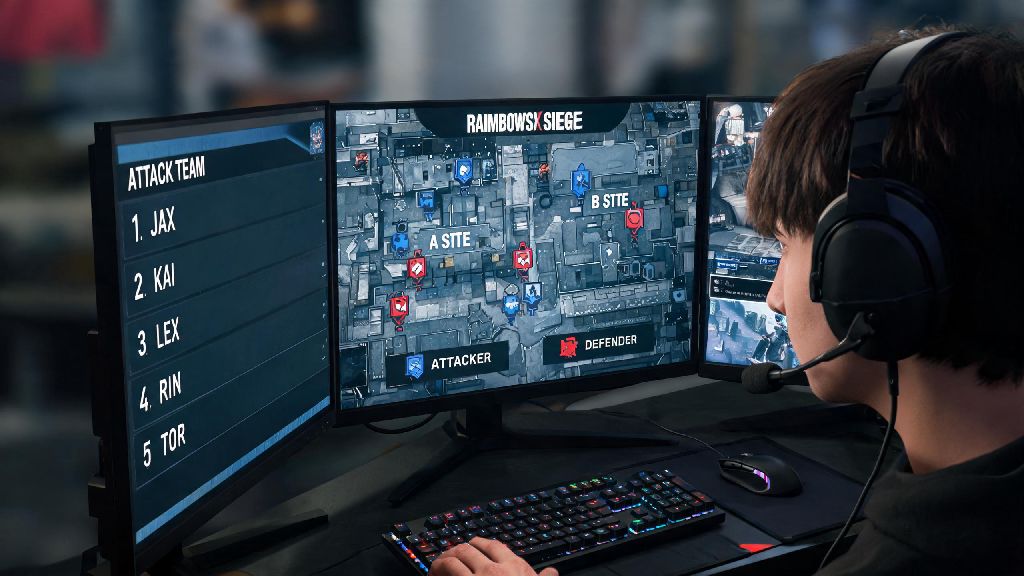
If you’ve ever logged off your PS5 after a casual Rainbow Six Siege match, then hopped on your PC and wondered if you can squad up with the same console friends you were playing with earlier, you’re not alone. Thousands of players ask every week can pc and ps5 play rainbow six siege together, and the answer isn’t as straightforward as you might think depending on what game mode you’re queuing for and what settings you have enabled. I’ve tested crossplay between both platforms over the past six months, playing everything from unranked casual matches to ranked lobbies, so I’m breaking down exactly what works, what doesn’t, and how to set up your game to play with friends no matter what device they’re on.
Can PC and PS5 Play Rainbow Six Siege Together: Crossplay Rules Explained
The short answer is yes, but there are specific rules set by Ubisoft that dictate when and how you can play across the two platforms. Crossplay support for Rainbow Six Siege rolled out a few years back, but recent updates have added input-based matching to keep gameplay fair for players using different control methods. Input-based matchmaking is turned on by default for all players, which means PS5 players using controllers are automatically placed in lobbies with other controller users, and PC mouse and keyboard players are matched with other M&K users, even if crossplay is enabled.
For most casual game modes including Quick Match, Unranked, and Event modes, you can disable input-based matchmaking to queue across PC and PS5 with no restrictions. Custom games have zero crossplay limitations at all, so you can host or join a custom lobby with friends on either platform for scrims, casual play, or community game nights without changing any additional settings beyond enabling basic crossplay.
Ranked play has slightly stricter rules. By default, ranked lobbies are split by input type to prevent unfair matchups between controller and mouse and keyboard players. If you want to queue for ranked across PC and PS5, all players in your squad will need to turn off input-based matchmaking, and you’ll be placed in a mixed-input lobby with other squads that have also opted out of input locking. You won’t be able to join standard input-locked ranked lobbies as a cross-platform mixed-input squad.
How to Set Up Crossplay Between PC and PS5 for Rainbow Six Siege
Setting up crossplay only takes a few minutes on both platforms, but there are a few common missteps that can prevent you from connecting with friends. The most important thing to remember is that crossplay uses your Ubisoft account, not your platform-specific ID, so you’ll need to make sure all players have their Ubisoft accounts linked to their Steam/Epic or PS5 accounts first. Once your accounts are linked, follow these steps to enable crossplay and connect with friends:
- On either platform, open Rainbow Six Siege and navigate to the Settings menu from the main home screen
- Select the "General" tab, then scroll down to the Crossplay section and toggle Enable Crossplay to "On"
- Turn off "Input-Based Matchmaking" if you want to queue for public lobbies with players using different input methods
- Add your friend via their Ubisoft username (not their platform ID) to send a squad invite
A common mistake I see players make is trying to add friends via their PSN or Steam ID, which won’t show up in the in-game friend list for crossplay. You’ll need to share your full Ubisoft handle, including the four-digit number at the end of the username, to find each other. If you don’t know your Ubisoft handle, you can find it in the top right corner of the Ubisoft Connect overlay, or in the profile section of the in-game main menu.
You don’t need an active Ubisoft+ subscription to use crossplay, it’s a free feature for all players who own a copy of Rainbow Six Siege on either platform. You also don’t need to own any additional DLC or operator packs to play cross-platform with friends, as long as you have access to the base game.
Limitations of PC and PS5 Crossplay for Rainbow Six Siege
While crossplay works well for most use cases, there are a few limitations you should be aware of before you try to squad up. The biggest limitation for competitive players is that official Rainbow Six Siege esports qualifiers and most community-run competitive tournaments ban crossplay entirely, requiring all players on a team to use the same platform and input type. If you’re planning to join a tournament, double check the rules first to avoid being disqualified for playing on a different platform than your teammates.
Cross-progression is also limited between PC and PS5. While your overall rank, match stats, and unearned battle pass rewards will carry over across both platforms when you link your Ubisoft account, platform-exclusive skins and cosmetic items are not shared between PC and PS5. Any limited-edition skins you bought on PS5 will only be available on your console account, and any PC-exclusive skins you purchased via Steam or Epic won’t show up on your PS5 profile.
You may also run into longer queue times when playing mixed-input crossplay lobbies, especially in higher rank brackets. Fewer players opt out of input-based matchmaking, so the pool of players to match with is smaller. Queue times can be 2-3 times longer than standard input-locked lobbies during off-peak hours, so you may want to stick to same-platform play if you’re trying to grind a lot of matches quickly.
Finally, some in-game features don’t work across platforms. For example, you can’t send in-game gifts to players on a different platform, and you won’t see their platform-specific achievements or trophy progress on your in-game profile.
Tips for Smooth Crossplay Sessions Between PC and PS5
If you’re a PS5 controller player queuing with PC mouse and keyboard friends, you may notice a slight skill gap at first, since mouse and keyboard allows for faster aim and reaction times. Turn up your aim assist to the full "High" setting in the controls menu to level the playing field, and stick to operators that don’t require extremely fast flick aim if you’re new to playing against M&K players. Operators like Smoke, Mute, or Sledge are great for crossplay lobbies because they rely more on game sense than raw aim.
Avoid using platform-specific voice chat when playing crossplay, since PS5 party chat won’t work with PC players and Steam voice chat won’t work with console players. Use the built-in in-game voice chat instead, or connect to a shared Discord server if you want more control over audio settings. The in-game chat works well for most squads, but Discord has better noise suppression and lower audio lag if you have it installed on both devices.
Always test your crossplay connection in a custom lobby first before queuing for public matches. This gives you a chance to fix any invite issues, adjust audio settings, and make sure everyone can connect without lag before you jump into a competitive match. If you’re having trouble sending or receiving invites, double check that all players have crossplay enabled and that you added each other via the correct Ubisoft handle.
If you’re running into lag or connection drops during crossplay matches, make sure all players in your squad have an open NAT type. You can check your NAT type in the in-game network settings menu. A strict or moderate NAT type can cause connection issues when playing with players on different platforms, so you may need to adjust your router settings to enable UPnP or forward the correct ports for Rainbow Six Siege to fix the issue.
At the end of the day, the answer to whether can pc and ps5 play rainbow six siege together is yes, as long as you adjust your settings correctly and stick to game modes that support cross-platform play. Don’t get frustrated if your first attempt to squad up doesn’t work – most issues are fixed by double checking that crossplay is enabled and you’ve added friends via their Ubisoft ID instead of their platform account. Whether you’re playing casual quick matches to mess around with friends or grinding custom scrims to prepare for local tournaments, crossplay opens up a ton of new opportunities to play with people you’d otherwise never get to queue with.