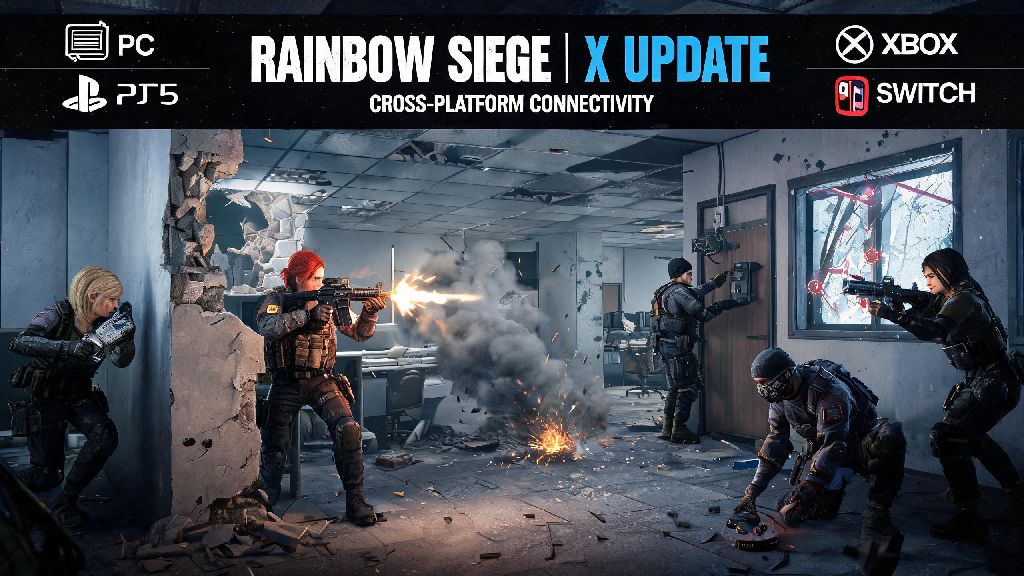
If you’ve been scrolling through Siege community threads lately, you’ve almost certainly seen chatter about the upcoming Rainbow Six Siege X update, with its reworked movement system, new Brazilian supporting operator, and full overhaul of the Bank and Consulate maps. Longtime players know getting into a closed beta is the best way to try out new content months before it drops for the general player base, and even give feedback that shapes the final release. I’ve seen dozens of players fall for fake beta code scams on Twitter and Discord over the years, so if you’re wondering how to get rainbow six siege x beta access without wasting time or money, this guide breaks down every verified method you can use right now.
Eligibility Rules to Qualify for Rainbow Six Siege X Beta Access
Before you start signing up for every beta list you find, you need to make sure you meet Ubisoft’s basic eligibility requirements first. These rules are in place to ensure beta testers are actual Siege players who can provide meaningful feedback, not people just looking for early access to leak content.
First, You must have an active, non-banned copy of Rainbow Six Siege linked to a valid Ubisoft Connect account. This works for all platforms: Steam, Epic Games, Ubisoft Store, Xbox, and PlayStation. Cracked or pirated copies will never qualify, and you can’t transfer a beta slot from one account to another. If you’ve had a temporary ban or competitive restriction in the last 12 months, you will be disqualified automatically. Ubisoft prioritizes players who follow community rules, as they’re more likely to submit constructive feedback instead of trolling the test server.
You don’t need to be a high-ranked player to qualify, but active players get priority. Ubisoft usually pulls the first wave of testers from people who have played at least 5 hours of Siege per week for the last 3 months, across any game mode. Casual players who only log on a couple times a month can still sign up, but you’ll likely be added to later waves of invites if you get selected at all.
Verified Methods to Secure Your Beta Slot
There are only three legitimate ways to get beta access, and none of them require you to pay money or share sensitive account information. Any other method you see online is almost certainly a scam.
- Sign up for the official Ubisoft R6 community testing program
- Link your Ubisoft account to Twitch and watch approved drop-enabled streams
- Enter official community partner giveaways hosted by trusted Siege creators
The official testing program sign-up is the most reliable method. You can find the form on the official Rainbow Six Siege website, and you’ll need to fill out basic information about your play style, main platform, and how long you’ve been playing the game. Make sure you opt in to marketing emails from Ubisoft when you sign up, as many players miss their invites because they have Ubisoft emails sent to their spam folder. You can also note if you have experience testing previous Siege betas, as that will boost your chances of being selected early.
Twitch drops are the second easiest method, and they usually run for one week right before the beta goes live. You’ll need to link your Ubisoft Connect account to your Twitch account first, then watch streamers who are marked as having beta drops enabled. You usually need to watch 4 hours of total stream time to claim your access, and it will be added to your account automatically. Make sure you don’t have ad blockers running while you watch, as they can interfere with drop tracking.
Community giveaways are a good option if you don’t get selected through the first two methods. Official Siege content creators, esports teams, and the official R6 Discord server all get limited beta codes to give away to their audiences. Never share your account password or credit card info to enter a giveaway—legitimate giveaways only ask for your Ubisoft username to send the code if you win.
Steps to Take After You Receive Your Beta Invite
When you get selected for the beta, you’ll get an email from Ubisoft with instructions to activate your access. Don’t click links in any email that doesn’t come from the official [email protected] address, as scam emails look almost identical to real ones these days. Always verify the sender is [email protected] before clicking any links to avoid having your account stolen.
Once you activate your access, you’ll be able to download the separate beta client for your platform. This client won’t overwrite your main Siege install, so you can still play the regular game while the beta is running. All progress you make in the beta, including skins, rank, and unlocks, will not carry over to the main game, so don’t waste time grinding for items you won’t keep.
You’ll get regular pop-up surveys while you play the beta, asking for feedback on new features, balance changes, and any bugs you encounter. Take the time to fill these out honestly—Ubisoft actually reads this feedback, and many past balance changes and bug fixes came directly from beta tester input. You are not allowed to stream or record beta content unless you have explicit permission from Ubisoft, as all content in the beta is subject to change before full release. Breaking this rule will get your beta access revoked and may lead to a temporary ban on your main Siege account.
Common Beta Access Issues and Quick Fixes
Even if you follow all the steps correctly, you might run into issues getting or playing the beta. Most of these issues have simple fixes, and you don’t need to contact support right away.
If you signed up for the testing program but haven’t gotten an invite, don’t panic. Invites are sent out in waves every 3 to 5 days throughout the beta period, so you might just be in a later batch. You can check your application status on the Ubisoft testing portal at any time to see if you’ve been selected.
If you watched enough Twitch content but didn’t get your drop, first check that your accounts are properly linked. You can verify the connection in your Twitch settings under the “connections” tab. If they are linked, make sure you were watching a stream that actually had drops enabled—streamers will have a small drop icon under their stream title if they are part of the official drop program. Ad blockers and incognito mode can also prevent drop progress from tracking, so turn those off while you watch.
If you downloaded the beta but can’t launch it, first check that you have at least 80 GB of free storage space on your device. The beta client is larger than the regular game because it includes unfinished content and debug tools. If you have enough space, verify the game files through your platform’s store page, then restart your device. For console players, make sure your system software is updated to the latest version, as older software versions can’t run the beta client.
Getting into the Rainbow Six Siege X beta doesn’t require any fancy hacks or paid codes, just a bit of patience and following the official steps we’ve laid out. Even if you don’t get into the first wave of invites, keep checking your email and official community channels, as Ubisoft regularly adds more testers throughout the beta period. Whether you’re in it to test the new operator, try out the reworked maps, or just help make the game better for every player, taking the time to learn how to get rainbow six siege x beta access is well worth the effort for any dedicated Siege fan.