If you’ve ever logged into R6 Siege on your console then wanted to queue up with a friend playing on PC, you’ve probably wondered can you cross platform on Rainbow Six Siege. Crossplay is one of the most requested features for competitive online games, and Ubisoft has rolled out varying levels of support for it over the past few years, but there are a lot of common misconceptions about what works and what doesn’t. I’ve been playing Siege across Xbox, PlayStation, and PC since Year 4, so I’ve tested every crossplay quirk firsthand to save you the frustration of trying to queue with friends only to hit a wall. This guide breaks down exactly what cross-platform support is available, which platforms work together, and how to fix the most common crossplay errors.
Can You Cross Platform on Rainbow Six Siege for Casual and Ranked Play?
The short answer is yes, but with a small set of restrictions designed to keep competitive play fair for everyone. Cross-platform support first launched for Siege in 2022, and Ubisoft has expanded it consistently since then to cover almost all game modes for most platform combinations. You can test out support for your specific friend group by making a custom lobby first before you queue for public matches, to avoid wasting time troubleshooting mid-queue.
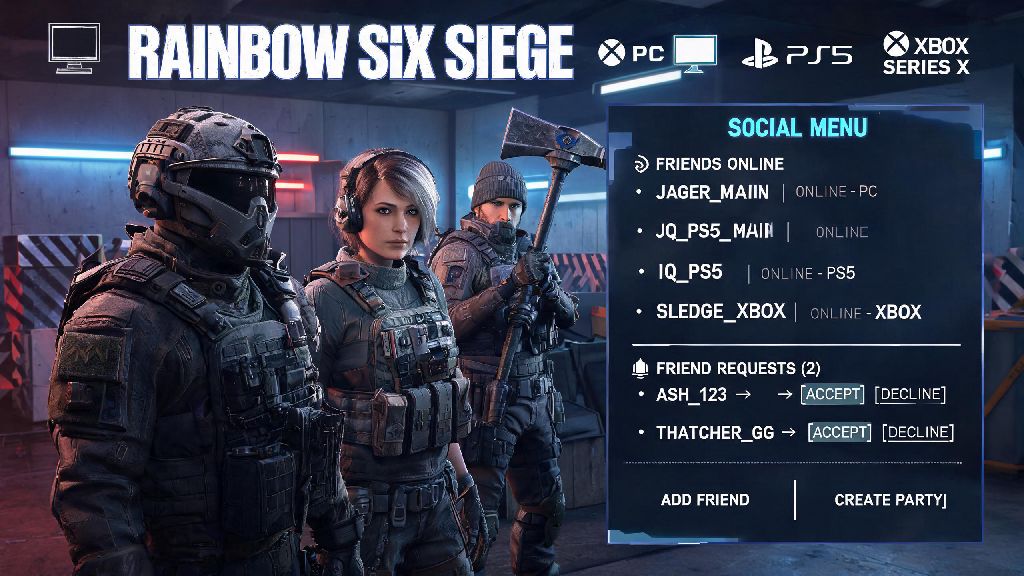
All console platforms (Xbox One, Xbox Series X/S, PS4, PS5) can play with each other across all game modes, including ranked, unranked, casual, and custom lobbies. I’ve had friends on PS5 queue with me on Xbox Series X for ranked every weekend for the past 6 months, and we’ve never run into a restriction there. The only crossplay restriction for console players applies if you want to play with people on PC.
PC players can play with console players in casual, custom games, and arcade modes, but cannot join console ranked lobbies, and vice versa. This isn’t a bug, it’s an intentional rule Ubisoft put in place to avoid giving mouse and keyboard players an unfair advantage over controller players in high-stakes ranked matches. There’s no official workaround for this restriction, and Ubisoft has stated they don’t plan to remove it anytime soon.
How to Enable Crossplay on Your R6 Siege Account
Crossplay is enabled by default for most new accounts, but if you turned it off previously or have an older account, you might need to toggle it on manually. First, from the main menu, go to the settings tab, then navigate to the "General" section. Scroll down until you find the crossplay toggle, and make sure it’s switched to on. If you don’t see the toggle, double check that your game is updated to the latest patch, as older versions of Siege don’t have crossplay support.
You’ll also need to ensure your Ubisoft Connect account is linked to all platform accounts you use to play Siege for crossplay to work correctly. If your accounts aren’t linked, you won’t show up on your friends’ lists across different platforms, even if you have crossplay toggled on. Linking accounts only takes a minute through the Ubisoft Connect website, and you only have to do it once.
Before you try to queue with cross-platform friends, make sure you have all of these prerequisites covered:
- Ubisoft Connect account linked to all platforms you use for R6 Siege
- Crossplay toggle enabled in in-game settings
- Same game version updated to the latest patch across all players’ devices
- No active crossplay restrictions set on your platform’s parental controls
A lot of players skip linking their Ubisoft account and wonder why they can’t see their friends on other platforms, so double check that first if you’re having issues. You can also add friends directly via their Ubisoft Connect username instead of their platform gamertag if you still can’t find them after linking accounts.
Cross-Progression Rules for Rainbow Six Siege
Crossplay is separate from cross-progression, but the two often go hand in hand for players who use multiple devices to play Siege. A lot of people ask about cross-progression when they look up crossplay support, so it’s worth covering the rules clearly here. Unlike crossplay, cross-progression has almost no restrictions, and works across all supported platforms.
Full cross-progression is supported across all platforms for R6 Siege as long as all accounts are linked to the same Ubisoft Connect profile. That means all your operators, skins, battle pass progress, rank, and in-game currency will carry over no matter if you log in on PC, Xbox, or PlayStation. I used to play exclusively on PS4 before I bought an Xbox Series X, and all my 30+ unlocked operators, my Year 5 Black Ice skin collection, and my Platinum rank from that season carried over instantly when I linked my accounts, no extra steps needed.
The only exception is platform-exclusive skins, like the PlayStation-themed operator skins, which won’t show up when you log in on Xbox or PC, and vice versa. Those stay tied to the original platform you earned them on, but they’ll still be there when you log back into that platform later. Any in-game currency you purchase on one platform will be available across all linked platforms, so you don’t have to buy R6 Credits twice if you switch between PC and console regularly.
Common Crossplay Issues and How to Fix Them
Even with all settings toggled on correctly, you might run into occasional crossplay errors, most of which are easy to fix without reaching out to Ubisoft support. The most common issue is not being able to see a friend on your friends list even if they’re on a different platform and have crossplay enabled. The fix for this is usually to add them via their Ubisoft Connect username instead of their platform gamertag. Platform friend lists don’t always sync across devices, but Ubisoft’s internal friend list works for all players no matter what they’re playing on.
If you can join a lobby but keep getting kicked before the match starts, check that all players in the lobby have the same game version. If one player hasn’t installed the latest patch, crossplay lobbies won’t load correctly. I ran into this last month when a friend forgot to update their PS5 copy of Siege after a small mid-season patch, and we spent 20 minutes trying to figure out why we kept getting kicked before we noticed their game was out of date. Most platforms update games automatically, but manual updates are sometimes required if you haven’t launched the game in a few weeks.
Another common issue is getting an error when you try to join a ranked lobby with friends on different input types. As we covered earlier, PC players can’t join console ranked lobbies, so that’s not a bug, that’s an intentional rule. If you want to play ranked with friends on different devices, all of you will need to be on console, or all of you will need to be on PC. If you still want to play together across PC and console, stick to casual or custom lobbies instead.
If none of these fixes work, check your platform’s account settings to make sure cross-platform play isn’t blocked by parental controls. A lot of console accounts have crossplay blocked by default for minor accounts, even if you have the in-game toggle turned on. You can adjust this setting in your Xbox or PlayStation account privacy menu in less than a minute.
At the end of the day, if you were asking can you cross platform on Rainbow Six Siege, the short answer is yes, with a small handful of restrictions for competitive ranked play. As long as you link your Ubisoft Connect account, enable the crossplay toggle, and make sure all your friends are on the same game version, you can queue up for casual matches with people on any supported platform easily. Crossplay has made it way easier to play with friends no matter what console or PC they prefer, and the cross-progression support means you never have to start over from scratch if you switch devices. If you run into any issues not covered here, you can check the official Ubisoft support page for the latest updates on crossplay functionality for R6 Siege.