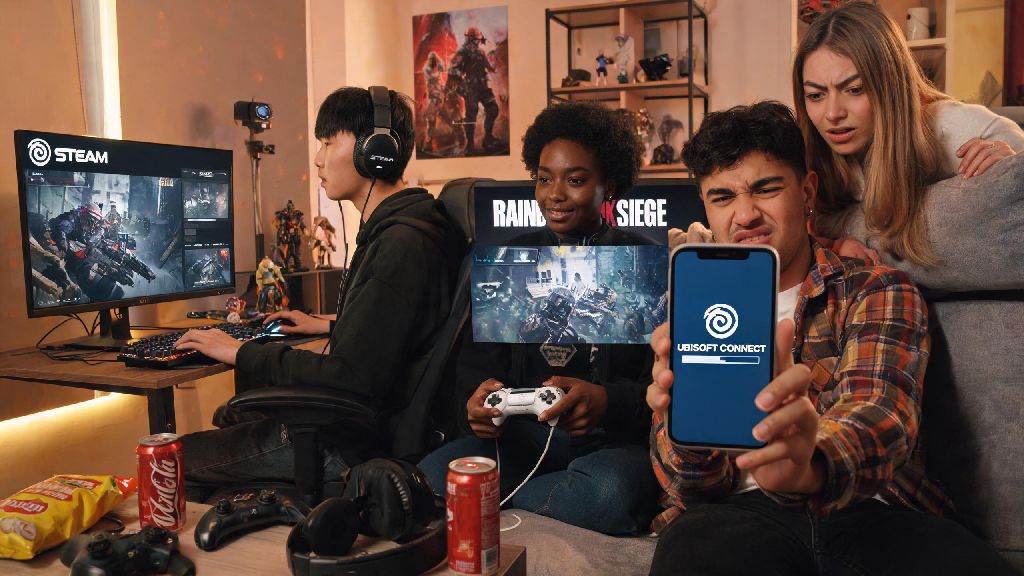
If you’ve ever regretted picking a cringy username you made when you were 14, or got tired of a gamertag that no longer fits your vibe, you’ve probably asked can you change your name in rainbow six siege at least once while queuing for quick play. I’ve been there too – my first R6 name was a terrible meme reference that made my teammates tease me nonstop for three seasons, so I looked into every possible way to update it across every platform I play on. I tested the process on PC, PlayStation, and Xbox to make sure the steps work across all devices, and dug through Ubisoft’s official rules to find all the hidden restrictions most players don’t learn about until they hit an error. This guide breaks down exactly what’s allowed, what costs you might run into, and what risks you need to watch for before you hit that confirm button.
Can You Change Your Name in Rainbow Six Siege Officially?
The short answer is yes, but it’s not tied directly to your console or Steam gamertag the way many other online games are. Your in-game display name for Rainbow Six Siege is pulled directly from your Ubisoft Connect account username, so changing your R6 name means updating your Ubisoft account name first, even if you only ever play on console. Before crossplay was rolled out a few years back, console players only saw each other’s platform gamertags in lobbies, but that changed once cross-platform matchmaking became the default for all game modes.
Now, no matter what platform you’re on, every player in your lobby will see your Ubisoft Connect name, unless you’ve turned off crossplay in your settings. Ubisoft lets all players update their account name for free, but there are a few small limits in place to prevent abuse and trolling. You can only change your name once every 30 days, so you can’t swap to a new name every match to avoid being recognized by players you’ve upset.
If you play on multiple platforms linked to the same Ubisoft account, changing your name once will update it across all of them, so you don’t have to go through the process separately for PC, console, and mobile. That’s a huge plus for players who switch between devices depending on who they’re queuing with, as it keeps your identity consistent no matter what you’re playing on.
Step-by-Step Name Change Process for All Platforms
The process is almost identical no matter if you play on PC, PlayStation, Xbox, or Switch, as long as your accounts are linked correctly. Before you start, make sure you have access to the email tied to your Ubisoft account, as you may need to verify the change if you haven’t logged in recently. You don’t need to have Rainbow Six Siege open to make the edit, but you will need to restart the game after you confirm to see the new name appear in lobbies.
- Log in to your Ubisoft Connect account through the official website or desktop app, and navigate to your account settings page
- Find the “Account Information” tab, and select the edit button next to your current username
- Enter your new desired username, check that it meets Ubisoft’s community guidelines, and confirm the change
There is no cost to change your Ubisoft account name for standard updates, unlike platform gamertag changes which sometimes charge $10 or more for multiple edits in a year. That’s a big difference from games like Call of Duty, which lock name changes behind a paid token even if you’re editing your account name directly. I made the mistake of updating my Xbox gamertag first a few years back, and was confused when my R6 name still showed the old meme reference for another month until I realized I needed to edit my Ubisoft account directly.
If you want your platform gamertag to match your new R6 name, you can update that separately through your console’s account settings, but that change won’t affect your in-game Ubisoft display name for crossplay matches. It’s entirely optional, so don’t waste money on a platform gamertag change if you only care about what other R6 players see. Once you confirm the name change, it should show up in your game immediately, though you may need to restart Rainbow Six Siege if you were logged in while you made the edit. I’ve had the update show up mid-match once, but that was a bug, so restarting is the safest way to make sure the new name is active before you queue for a new game.
Key Restrictions and Rules You Need to Know Before Changing Your Name
Ubisoft has pretty strict rules for usernames to keep the community safe, so not every name you want will be approved. Any username that includes hate speech, harassment, personal information, or impersonation of Ubisoft staff will be rejected, and may lead to account penalties if you try to bypass filters. Even if you think a joke is harmless, if it violates the community code of conduct, you could end up with a temporary ban or have your name reset to a generic “User1234” tag without warning.
The 30 day cooldown period starts as soon as you confirm a successful name change, so make sure you’re 100% happy with your pick before you hit that button. I’ve had friends rush through the process and end up with a typo in their name, and they had to wait a full month to fix it, which was pretty embarrassing for them when their teammates kept making fun of the misspelled word.
All of your in-game progress, rank, unlocks, and purchased cosmetics will stay tied to your account after a name change, so you don’t have to worry about losing your year 1 skins or your champion rank from last season. The only small issue you might run into is that some third-party stat tracking sites may take a few days to update your name, and may show old stats under your previous username until their systems sync. If you rely on those sites to track your rank progress, just give it a week before you panic that your stats are gone. Also, if you’ve been reported for bad behavior under your old name, those reports are still tied to your account, so a name change won’t erase past penalties or active bans. Don’t try to change your name to avoid consequences for toxic behavior, because it won’t work, and you could end up with a longer ban if support catches you doing it.
What to Do If You Can’t Change Your R6 Name
If you hit an error when you try to update your name, there are a few common fixes you can try before reaching out to Ubisoft support. First, check if you’re still in the 30 day cooldown period from your last name change – most failed attempts happen because players forget they already updated their name a few weeks prior. You can check your account history in your Ubisoft settings to see the exact date you last changed your name, so you know when you’re eligible to update it again.
Next, make sure the name you’re trying to use isn’t already taken by another Ubisoft account, and that it doesn’t include any blocked terms or special characters that aren’t allowed. Ubisoft only lets you use letters, numbers, and a small selection of special characters in usernames, so fancy symbols or emojis will be rejected automatically. If your name change request is rejected for violating guidelines, you won’t get a cooldown penalty, so you can try a different username right away.
If you still can’t make the change, check that your Ubisoft account isn’t under any active restrictions or bans, as restricted accounts can’t edit their account details. You’ll get an email if your account has been restricted, so check your inbox tied to your Ubisoft account for any notifications about penalties. For cases where you want to change your name because someone is harassing you over your current username, you can reach out to Ubisoft support directly to request an immediate name change even if you’re in the cooldown period, as long as you can show proof of the harassment. I’ve seen this work for a few teammates who were targeted by toxic players after a ranked match, so it’s worth asking if you’re in that situation. Support usually responds within 24 hours for these requests, so you won’t have to wait long to get a new name and avoid the harassment.
At the end of the day, asking can you change your name in rainbow six siege usually gets a pretty straightforward yes, as long as you follow Ubisoft’s rules and wait out any cooldown periods you might have. Take a minute to double check your desired name for typos and guideline violations before you confirm, so you don’t get stuck with something you don’t like for a full month. Most players won’t run into any issues with the process, and you’ll be showing off your new username in your next ranked match in less than five minutes. If you do hit a snag, the fixes are usually simple, and support is available if you need extra help with a special case.