If you’ve got a group of friends split between PC and Xbox who all love Rainbow Six Siege, you’ve probably asked at least once if you can queue for matches together. Crossplay support for Siege has rolled out in incremental updates over the last few years, so it’s totally normal to be confused about which platforms work together, what settings you need to adjust, and what limitations you might run into. In this guide, we’re answering exactly can pc and xbox players play rainbow six siege, plus walking you through everything you need to know to get your mixed party up and running without frustrating technical hiccups.
Can PC and Xbox Players Play Rainbow Six Siege Together? The Short Answer
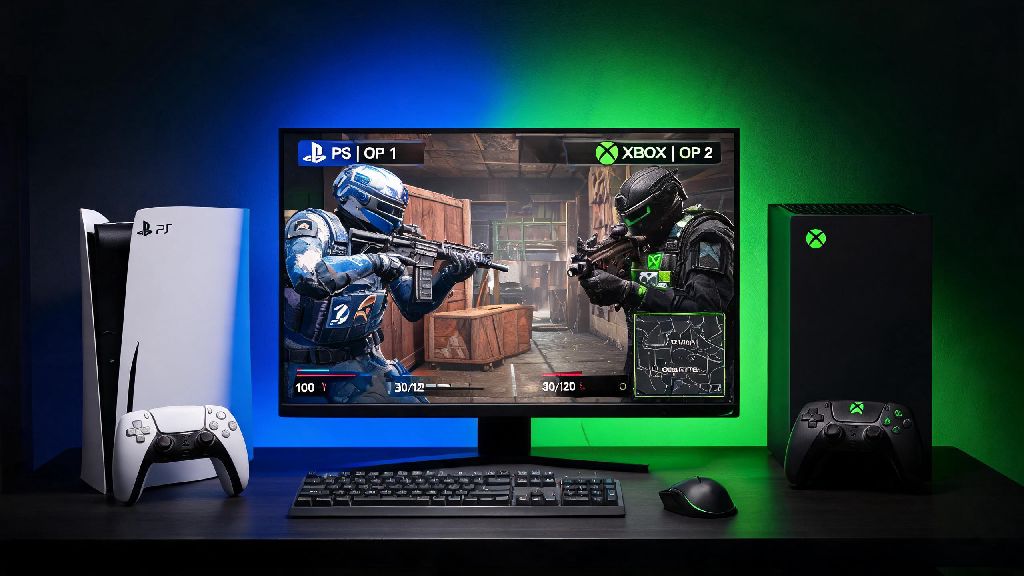
The short answer is yes, you absolutely can play Rainbow Six Siege with friends across PC and Xbox platforms. Ubisoft rolled out full crossplay support between PC and all console platforms, including Xbox One, Xbox Series S, and Xbox Series X, back in Year 7 of the game’s lifecycle, and support has only gotten more stable since then. It works no matter which PC storefront you own the game on too – Steam, Epic Games Store, and Ubisoft Connect versions all support crossplay with Xbox players, no extra purchases required. I tested this firsthand last month with my roommate, who plays on Xbox Series X, and we were able to queue for casual, unranked, and ranked matches together after adjusting a few quick settings. The only catch is there are a few limitations and default settings that might block you from seeing each other or queuing up if you don’t tweak them first.
Step-by-Step Setup to Play Rainbow Six Siege Across PC and Xbox
Before you can jump into a match together, you’ll need to make sure all party members have the right settings enabled and accounts linked properly. The process is pretty straightforward, but it’s easy to miss a step if you’re doing it for the first time. First, every player needs to link their platform account to a valid Ubisoft account. For PC players, that means linking your Steam, Epic, or Ubisoft Connect account to your main Ubisoft profile. For Xbox players, that means linking your Xbox network account to the same Ubisoft account you use for in-game progress. Once accounts are linked, you’ll need to enable crossplay in both your system settings (for Xbox players) and in-game settings for all players.
Before you send your first party invite, make sure you check off all of these pre-requisites:
- All players have linked their platform account (Steam/Epic/Ubisoft Connect for PC, Xbox network for console) to a valid Ubisoft account
- Crossplay is enabled in the in-game settings for every player in your party
- All players are running the latest updated version of Rainbow Six Siege (outdated versions won’t show cross-platform friends)
- You have added each other as friends on your Ubisoft account, not just your platform friends list
You won’t see cross-platform friends if you only add them on Steam or Xbox – the Ubisoft friends list is the single source of truth for crossplay invites and party management. You can access your Ubisoft friends list through the in-game social menu, or through the Ubisoft overlay on PC by pressing Shift + F2. Xbox players need to make sure cross-platform play is enabled in their Xbox system settings too, not just the in-game settings, otherwise they won’t be able to receive or send invites to PC players. You can find this setting under General > Online safety & family > Privacy & online safety > Xbox privacy > View details & customize > Communication & multiplayer on your Xbox console. Once all settings are enabled, just send an invite through the Ubisoft friends list, and your party will be ready to queue.
Key Limitations to Know When Playing R6 Across PC and Xbox
While crossplay between PC and Xbox works well for the most part, there are some important limitations you should be aware of before you queue up, so you don’t end up frustrated mid-session. First, if your party has even one PC player, the entire party will be placed in the PC input matchmaking pool. That means even if you’re an Xbox player using a controller, you’ll be matched against other PC players, many of whom use mouse and keyboard, which has a natural advantage for fast aim and reaction time. That’s not a big deal for casual matches where you’re just messing around with friends, but it can make ranked play a lot harder if you’re a controller player going up against experienced mouse and keyboard users.
Cross-progression is tied to your Ubisoft account, but some cosmetic items won’t transfer between platforms, so don’t panic if you don’t see that limited-time event skin you bought on Xbox when you log into your PC account. Most battle pass items and core cosmetics do transfer, but some platform-exclusive or limited-time items will stay locked to the platform you purchased them on. You also can’t turn off crossplay if you’re in a mixed PC and Xbox party, for obvious reasons. Another thing to note is that ranked crossplay parties have a tighter MMR cap than same-platform parties, to prevent smurfing and keep matches fair. If your party has more than a 700 MMR gap between the highest and lowest ranked player, you won’t be able to queue for ranked at all, even if you’d be able to on the same platform. Voice chat works natively now, but you might run into occasional audio cuts if one player has a strict or moderate NAT type, so make sure everyone has an open NAT if possible.
Tips for a Smooth Mixed PC and Xbox Rainbow Six Siege Session
After running mixed PC and Xbox parties for almost a year with my friend group, I’ve picked up a few tips that make the whole experience way less stressful, even when we’re playing ranked. First, if you’re an Xbox player joining a PC party, consider using a mouse and keyboard if you have one lying around – it’ll level the playing field a lot, and you won’t feel like you’re at a constant disadvantage against mouse and keyboard players on the other team. If you prefer to stick to controller, enable the advanced controller aim assist settings for medium to long range fights – the default aim assist settings are pretty weak, and tweaking them can make a huge difference in how well you perform against PC players.
Make sure all party members set their in-game region to the same one to reduce ping and avoid being placed in high-latency matches. If you’re having trouble seeing each other’s invites, a quick game restart fixes 90% of common crossplay bugs, no extra troubleshooting needed. I’ve noticed that invites send faster if you send them through the Ubisoft overlay instead of the in-game friends list, especially if one player is on Steam and the other is on Xbox. Avoid playing ranked cross-platform if you have more than a 1,000 MMR gap between party members, even if you’re under the 700 MMR hard cap – the matchmaker will place you against much higher skilled players to compensate for the gap, which makes for a frustrating experience for everyone in the party. If you’re just playing for fun, stick to casual or unranked modes, where the matchmaker is way more lenient and you don’t have to worry about MMR penalties if you lose.
At the end of the day, the answer to can pc and xbox players play rainbow six siege is a resounding yes, as long as you take a few minutes to link your accounts and adjust the right settings. The crossplay support is stable enough now that most players won’t run into any major issues, and the small limitations are more than worth it to be able to play with your friends no matter what platform they prefer. My group has half PC and half Xbox players, and we play casual matches every weekend without any major technical hiccups now that we’ve got the setup process down. Don’t let different platforms stop you from jumping into Siege with your favorite people – just follow the steps above, and you’ll be queuing up for your first match together in no time.