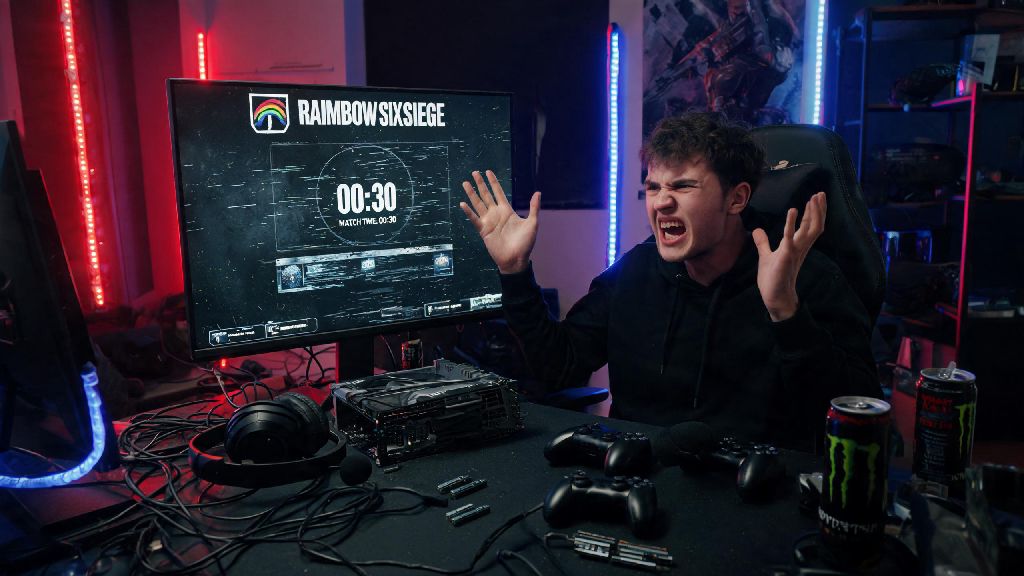
You’re 10 seconds away from clutching a 1v5 in your platinum ranked promotion match, your drone spots the last defender hiding behind a fridge on Clubhouse, you lean around the corner to take the shot… and your screen freezes, displaying the dreaded ‘connection to server lost’ error. The controller in your hand tenses up, you yell at your squad that you’re dropping, and for a split second you wonder if you’re going to lose all the MMR you grinded for all weekend. Before you throw your controller across the room or start yelling at your internet provider, the first question you’re probably asking is are the servers down in Rainbow Six Siege, or is the issue on your end? I’ve been there more times than I can count, from losing unranked matches with friends to missing out on limited-time M.U.T.E. Protocol event rewards because of random drops that I initially blamed on my terrible Wi-Fi. This guide will walk you through exactly how to tell if it’s a widespread outage, what common issues you can fix on your own in 2 minutes or less, and what to do if the problem persists even after servers are confirmed to be back online.
How to Confirm If the Servers Are Down in Rainbow Six Siege
The first thing you should do when you get a connection error is rule out a widespread outage before touching any of your own settings. Always check official Ubisoft channels first before troubleshooting your own setup, as unofficial sources can sometimes report false outages or exaggerate small regional issues. Ubisoft has a dedicated public status page for all its games, where you can see real-time updates for server performance, ongoing maintenance, and reported outages for every platform Siege is available on, including PC, PlayStation, Xbox, and Switch. If you don’t want to navigate to the status page, you can also check the official Rainbow Six Siege Twitter/X account, which posts updates about planned maintenance and unexpected outages within 15 minutes of them being detected. If those sources don’t mention any outages, you can check third-party outage trackers that aggregate reports from players all over the world to spot regional outages that Ubisoft might not have announced yet. Keep in mind that some outages only affect specific regions or platforms, so if you see reports from players in Europe but you’re playing in North America, the issue is likely on your end. I once spent 20 minutes restarting my router before I realized the outage only affected PlayStation players that day, so always check platform-specific reports too.
Common Connection Issues That Aren’t Server Outages
If official channels say servers are running fine, the issue is almost certainly something on your end, and most of these fixes take less than 5 minutes to try. A lot of players jump to the conclusion that servers are broken when the problem is just a small glitch with their home network or game files. I’ve had dozens of instances where I thought there was an outage, only to realize my roommate was downloading a 4K movie on the same Wi-Fi network and using up all the bandwidth. Before you post a rant on the Siege subreddit, run through these quick checks first:
- Run a quick speed test to confirm your download and upload speeds are at least 3Mbps (the minimum required for Siege), and your ping is under 100ms for smooth gameplay
- Restart your router and gaming device to clear temporary network glitches that can cause random drops 90% of random connection drops I’ve experienced were fixed by a quick router restart, so don’t skip this step
- Check that your NAT type is set to Open or Type 2 to avoid peer-to-peer connection issues with other players, which often get mistaken for server outages
- Verify your game files to rule out corrupted data from the latest patch that might be interfering with your connection to the servers
If you can load other online games fine, stream videos without buffering, but only Siege is giving you connection errors, you might have a firewall or antivirus blocking the game’s access to the internet. On PC, make sure Siege is added to your firewall’s allowed list, and temporarily disable your antivirus to see if that fixes the issue. On console, make sure you don’t have any pending system updates that might be causing compatibility issues with the latest Siege patch. I once spent an hour troubleshooting only to realize my PlayStation had a pending system update that was blocking all online game connections, so that’s another quick check to add to your list.
What to Do During a Confirmed Rainbow Six Siege Server Outage
Once you’ve confirmed that the servers are actually down, there’s no point in spamming the login button over and over, that just puts more strain on the servers and makes the outage last longer. Ubisoft’s support team usually posts an estimated fix time within 30 minutes of an outage being confirmed, so keep an eye on their official social media accounts for updates. Most unexpected outages are fixed within 45 minutes to an hour, so you have plenty of time to do other things while you wait. You can use the downtime to practice your aim in training grounds, adjust your operator loadouts for the new season, or catch up on the latest patch notes you might have skipped when the update dropped. If you’re in a party with your squad, you can hop into a different game for a bit, or just hang out in party chat and trash talk each other about the last match you played. Never try to use third-party tools or VPNs to force a connection during an outage, as this can lead to a temporary account ban for violating Ubisoft’s terms of service. A lot of players try to switch regions to get around outages, but that usually doesn’t work and can cause issues with your account when the servers come back up. If the outage happened in the middle of a ranked match, don’t panic about losing MMR. MMR losses from confirmed server outages are almost always rolled back within 24 hours, so you won’t lose the progress you worked hard for. I’ve had three ranked matches interrupted by server outages in the last year, and every time my MMR was restored within a few hours, no extra steps needed.
How to Report Persistent Connection Issues to Ubisoft Support
If the official status page says servers are back up and running, but you still can’t connect to Siege, you might have a more specific issue that requires help from Ubisoft support. Before you reach out, gather all the relevant information first to make the support process as fast as possible. You’ll need to know your platform, the exact error code you’re getting, when the issue first started, and what troubleshooting steps you’ve already tried. Include a screenshot of your error code if you have one, as this cuts down support response time by up to 70% in my experience. You can submit a support ticket through the official Ubisoft support portal, or reach out to their support team on Twitter/X for faster responses to urgent issues. If you’re playing on PC, make sure you include your DxDiag file with your ticket, as this helps support teams spot hardware or software conflicts that might be causing the connection issues. If you’re on console, mention if you’re having issues with any other Ubisoft games, as this can help them spot account-specific issues instead of just game-specific ones. Most support tickets for connection issues are resolved within 24 to 48 hours, so if you don’t hear back right away, don’t worry, they’re working through all the reports from the outage. I once had an account-specific connection issue after a big patch, and the support team had it fixed within 18 hours of me submitting my ticket, so it’s always worth reaching out if you can’t fix the issue on your own.
At the end of the day, server outages are an annoying but unavoidable part of playing online games like Siege. The team at Ubisoft works pretty fast to fix unexpected outages, but it’s always good to know how to check for issues on your own so you don’t waste time troubleshooting when it’s a widespread problem. Next time you get hit with a connection error right as you’re about to clutch a match, take a deep breath, run through the checks we covered, and you’ll quickly be able to answer if are the servers down in Rainbow Six Siege or if you just need to restart your router. Most outages are fixed within an hour, so use that downtime to practice your headshots or hang out with your squad in a party chat instead of getting frustrated. You’ll be back to planting defusers and taking out attackers before you know it.